
.svg)
-1.svg)
-1.svg)
.svg)
.svg)
.svg)
Tried and Trusted by Providers Like You
Don't just take our word for it, read the rave reviews...
View MoreAI Claim Editor is your AI billing assistant that reviews and perfects every claim before it reaches the payer.
Book a Demo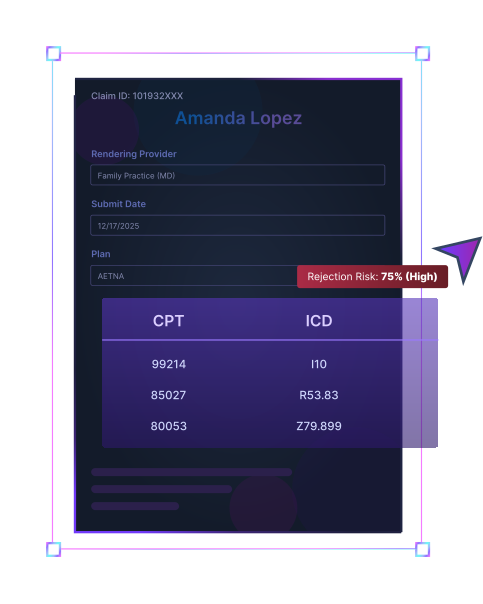
.svg)
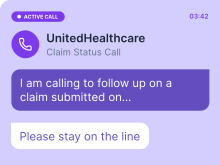
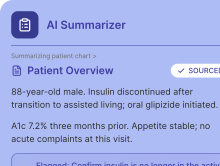
Reworking a denied claim can cost up to $181. With AI Claim Editor, your team can catch errors upfront and save both money and time on every submission.
First-pass claim acceptance
Catch coding, modifier, and payer-rule issues before submission, so more claims are paid on the first pass, and your revenue cycle keeps moving without delays.
Predictable revenue
Resolve claim risks before submission & stabilize monthly revenue. Create consistent reimbursement patterns you can plan around.


Pre-submission visibility
Ensure claim accuracy and prevent rework by identifying coding, modifier, and payer-rule issues before submission.
Human-reviewed automation
Your team reviews every suggestion before submission to ensure compliance at each step, while giving you complete confidence that nothing goes out without approval.
AI Claim Editor fits into your existing billing workflow, so that your team can start cutting denials without spending days getting used to a new EHR feature.
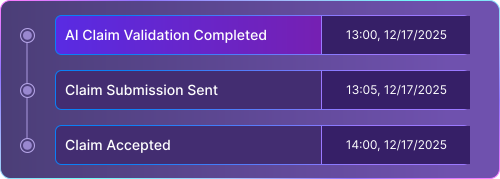
Once the provider signs off on the encounter, the claim is generated and queued for pre-submission review.
.svg)
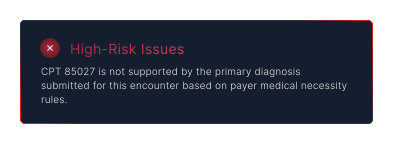
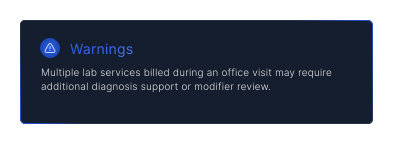
AI Claim Editor flags mismatched codes, unsupported diagnoses, and potential payer-specific errors before submission.
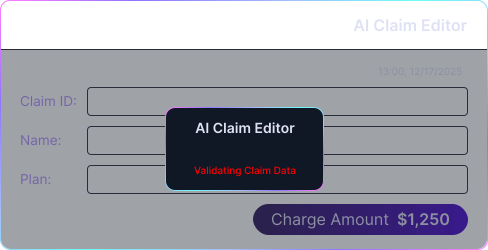
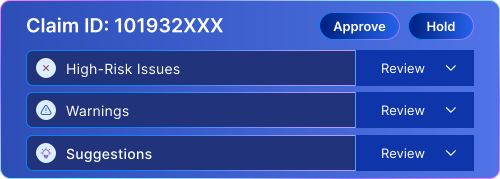
Each claim gets a rejection risk score, so that your billing team can prioritize what needs attention first.
.svg)
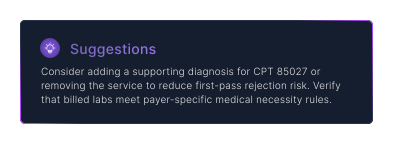
Open flagged claims to see what needs correction and why. Review actionable suggestions and make updates in seconds.
.svg)
Once everything checks out, approve with a single click. Clean claims move straight to submission & risky ones stay in review.
.svg)


 Privacy and Compliance

PracticeEHR is HIPAA Compliant. Conversations and documentation are securely processed and protected using industry-standard safeguards.
.svg)
PracticeEHR follows SOC 2 standards for security, availability, and confidentiality, with audited controls to protect sensitive healthcare data.
.svg)
AI Claim Editor flags issues and suggests fixes before claim submission, but every change is reviewed and approved by your billing team.

We have recently kicked off our business, and our main concern was to find easy-to-use and inexpensive EHR software. We switched to Practice EHR for its affordable plan that seemed suitable for our new business. Our staff has found their software pleasing to the eyes and simple to use. I will recommend Practice EHR to new practices!
Matthew
I cannot begin to describe how this EHR system has improved my medical practice. Besides being so efficient, I am able to spend quality time with my patients instead of worrying about handwritten notes, appointment mistakes and missing documents. I highly recommend this system to any busy medical practice!
Dr. Ellen Sue Ginsberg, D.O., P.C.
We have been using Practice EHR since January 2016 and are very happy with the program. Practice EHR has enabled us to capture all patient information and billing we may have missed in the past. It has eliminated large amounts of time-consuming paperwork, and it has given me greater control over the practice.
Dr. Henry Hall, D.C.
The PracticeEHR team is kind and helpful as well as knowledgeable. The system is always updating so we have the most current features which helps a lot. They are always available and willing to help. Very knowledgeable staff. They are updating the system all the time which is helpful.
John P.
A great EMR and customer service is awesome. From sales on down, working with Practice EHR has been fantastic. I would have no reservations about recommending Practice EHR to anyone looking to start a practice or switch from their current EMR system.
Dr. Justin Rivera, DPM
The Practice EHR team is very pleasant to work with and they offer an excellent and affordable solution for billing companies and their clients.
David Swiercz, President
We have had a great experience with Practice EHR so far. We switched to Practice EHR 8 months ago and are extremely satisfied with their practice management software. What distinguishes Practice EHR from the rest is its useful training, intuitive interface, and cooperative support team. The onboarding was straightforward, thanks to the support team. I highly recommend Practice EHR to anyone looking for an inexpensive yet efficient EHR system.
Amruta
I love PracticeEHR. I see a lot of patients and need to document effectively and efficiently. PracticeEHR is amazingly efficient and easy to use and makes my podiatric documentation very manageable. I would recommend it to any colleague or for any practice/specialty. They customize it for you and your practice. Plus the value compared to other EHR services I have seen is off the charts. Love, love, love PracticeEHR!!!!
Russell H.
Don't just take our word for it, read the rave reviews...
View More
The PracticeEHR software allows ease of use by most front office personnel for scheduling, finding information, and adding in insurance.
Kristina L.
How easy it is to use! We can't imagine going back to written prescriptions. E-Prescribe from PracticeEHR has made our day-to-day patient pain management so much easier. The affordable costs are the cherry on top!
Jack H.
A great EMR and customer service is awesome. From sales on down, working with Practice EHR has been fantastic. I would have no reservations about recommending Practice EHR to anyone looking to start a practice or switch from their current EMR system.
Dr. Justin Rivera, DPM
We have been using PracticeEHR for over a decade and have had no issues. The transition process for our new providers is always so seamless because it is so user-friendly. Our providers love the EHR.
Mazhar H.
We have been using Practice EHR since January 2016 and are very happy with the program. Practice EHR has enabled us to capture all patient information and billing we may have missed in the past.
DR. HENRY HALL, D.C.
I cannot begin to describe how this EHR system has improved my medical practice. Besides being so efficient, I am able to spend quality time with my patients instead of worrying about handwritten notes, appointment mistakes and missing documents.
Kristina L.
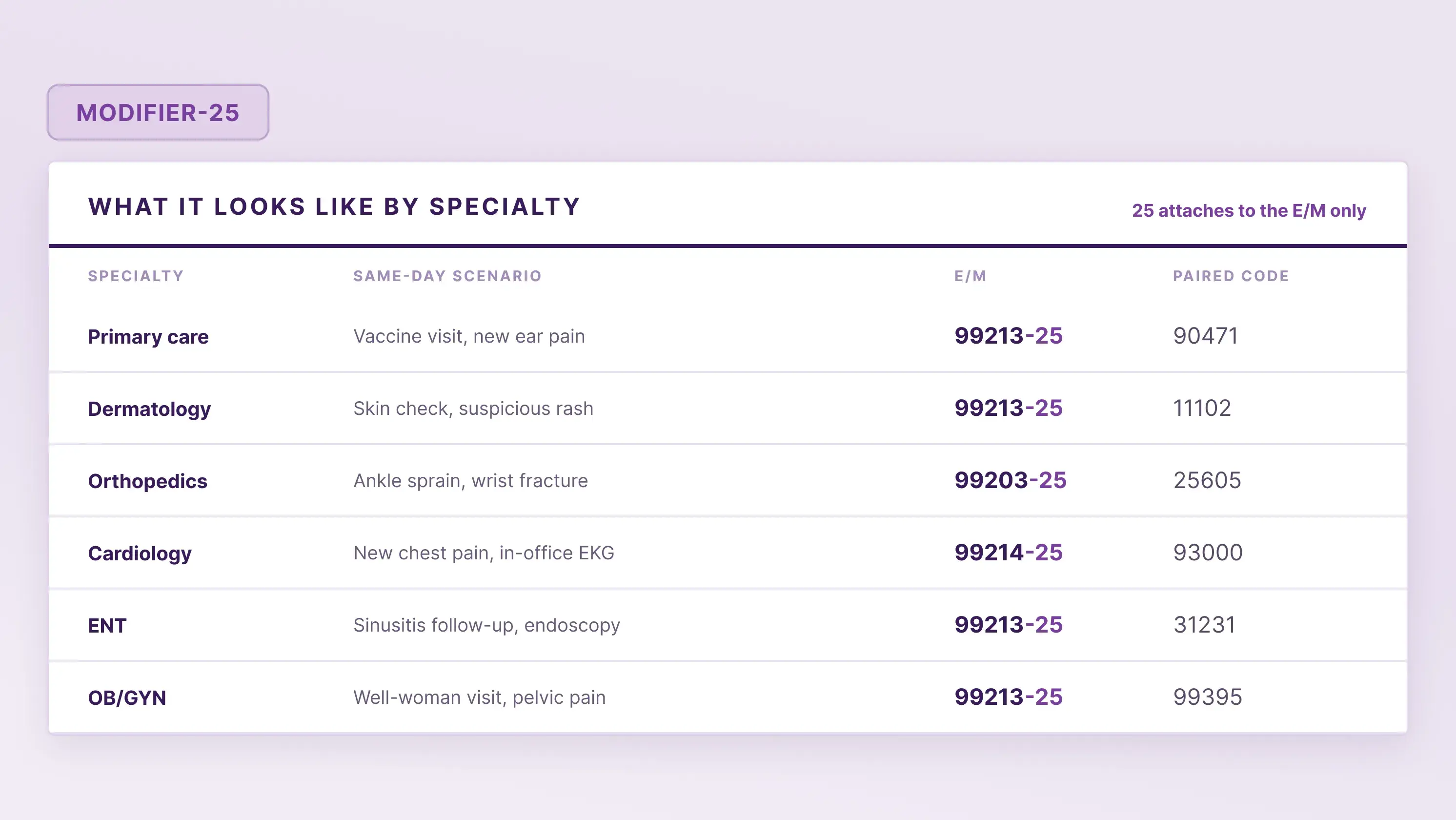
Denial Management

6 min read
Learn when to use Modifier 25, how to document E/M services, how to avoid claim denials, and how to appeal rejected claims through practical examples.

October 14, 2026
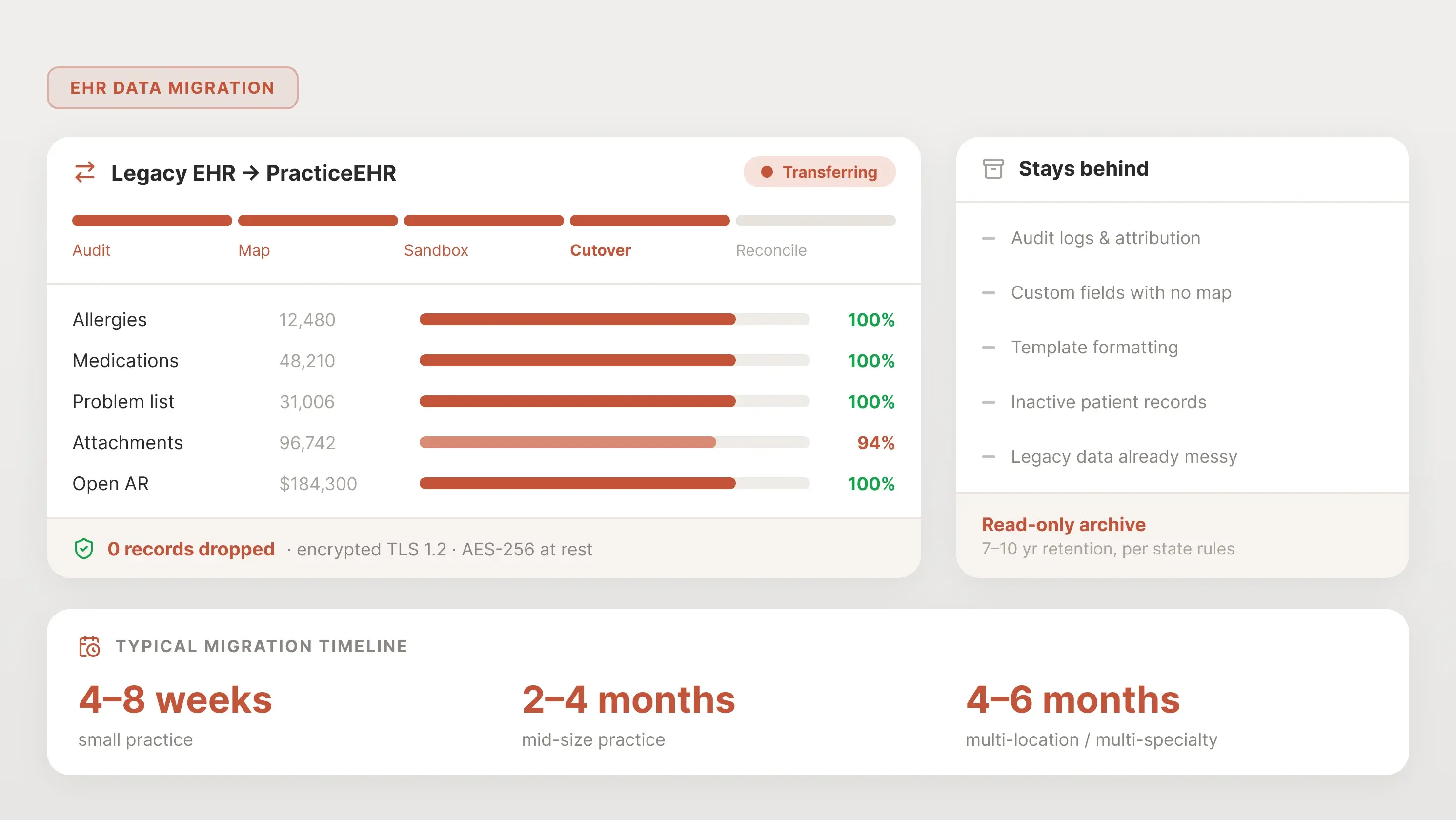
EHR Data Migration
6 min read
Learn how EHR data migration works, what data to move, and how to switch systems without losing critical patient, clinical, or financial records.
October 8, 2026
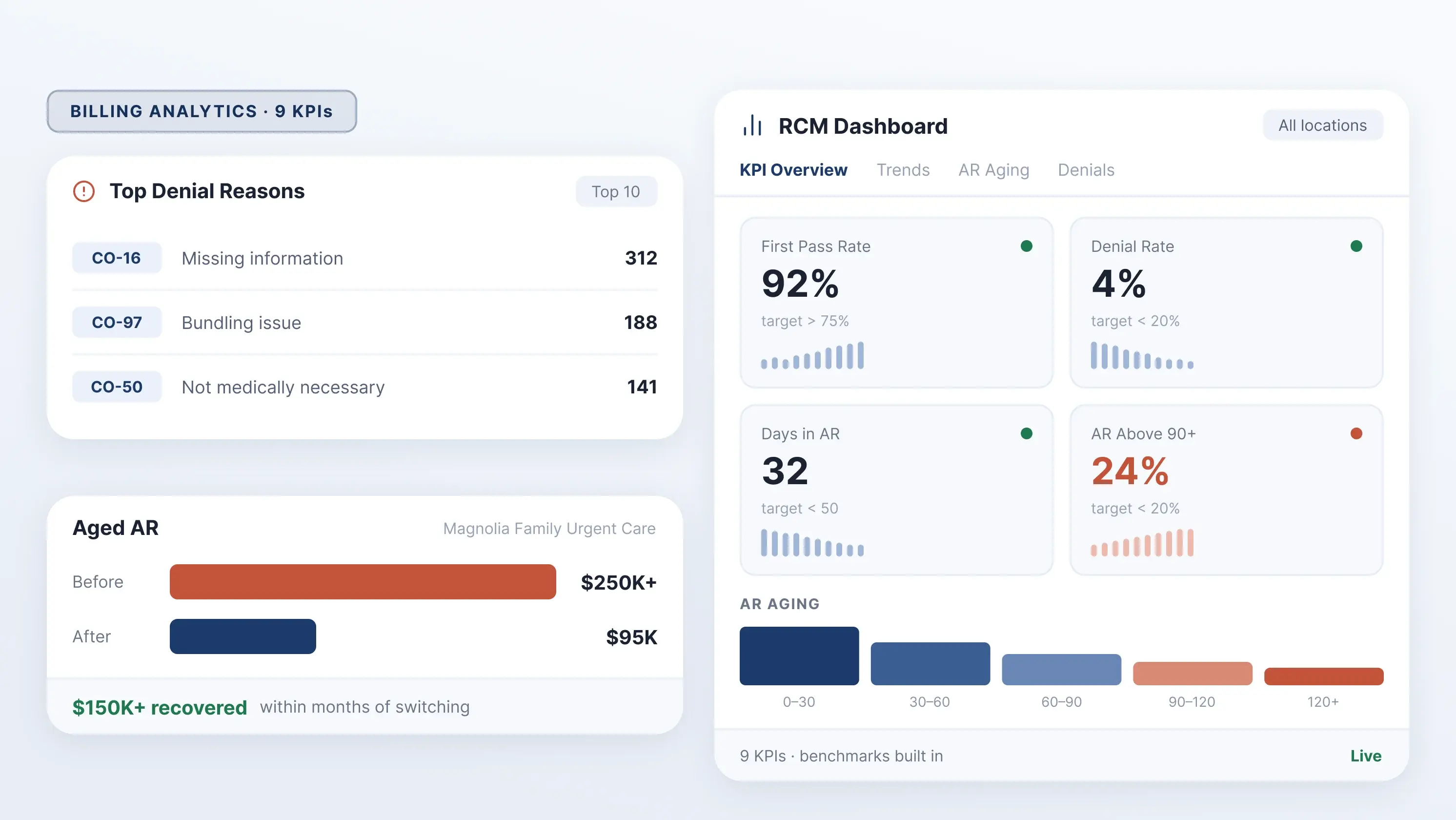
Revenue Cycle Management
6 min read
Looking for better visibility? See how PracticeEHR tracks 9 revenue cycle KPIs in real time to spot denials, AR issues, and missed revenue.
October 6, 2026
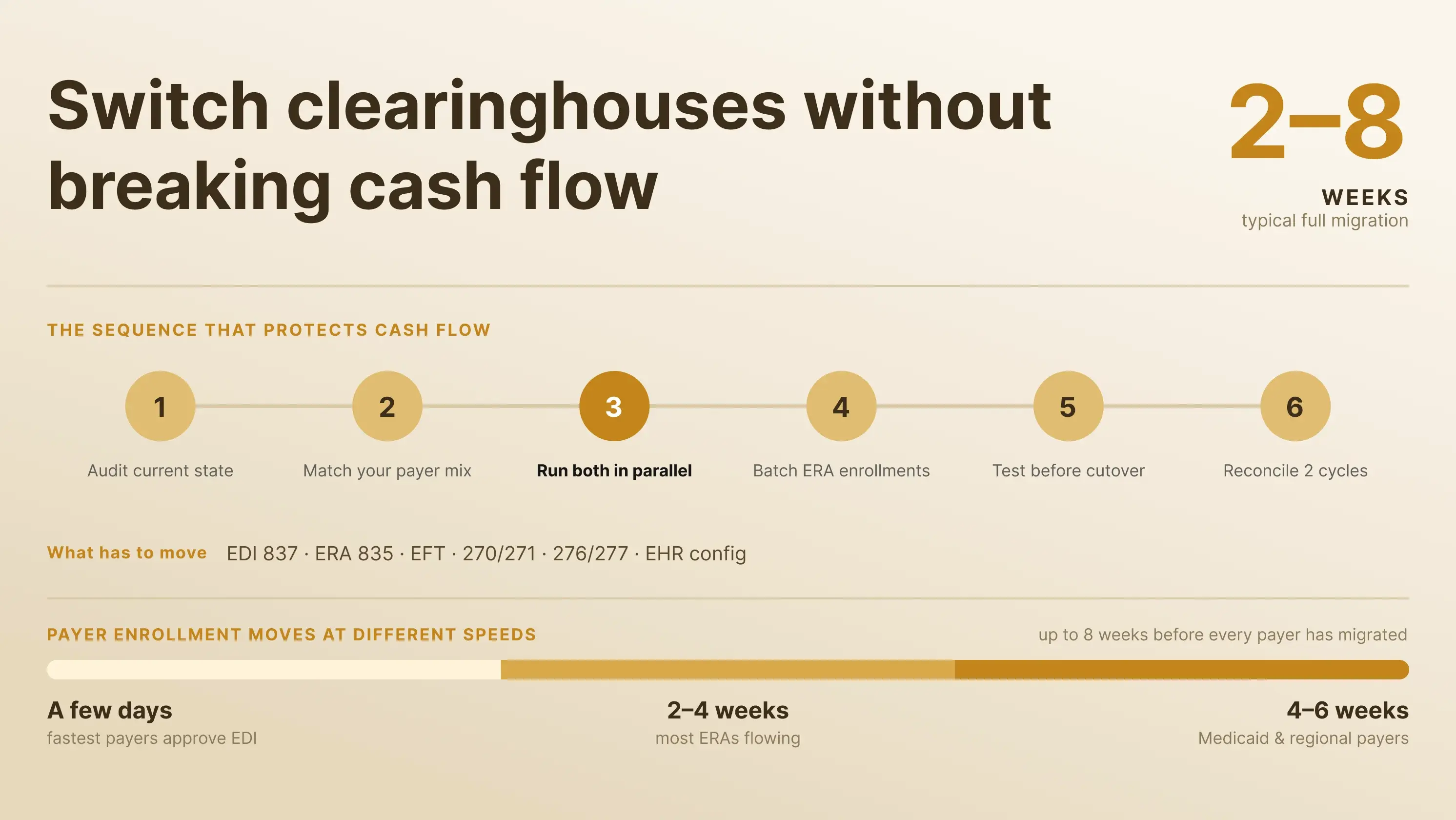
healthcare clearinghouses
6 min read
Switching healthcare clearinghouses? Learn how to plan the transition, avoid claim disruptions, and keep payments flowing after the Change Healthcare outage.
October 1, 2026
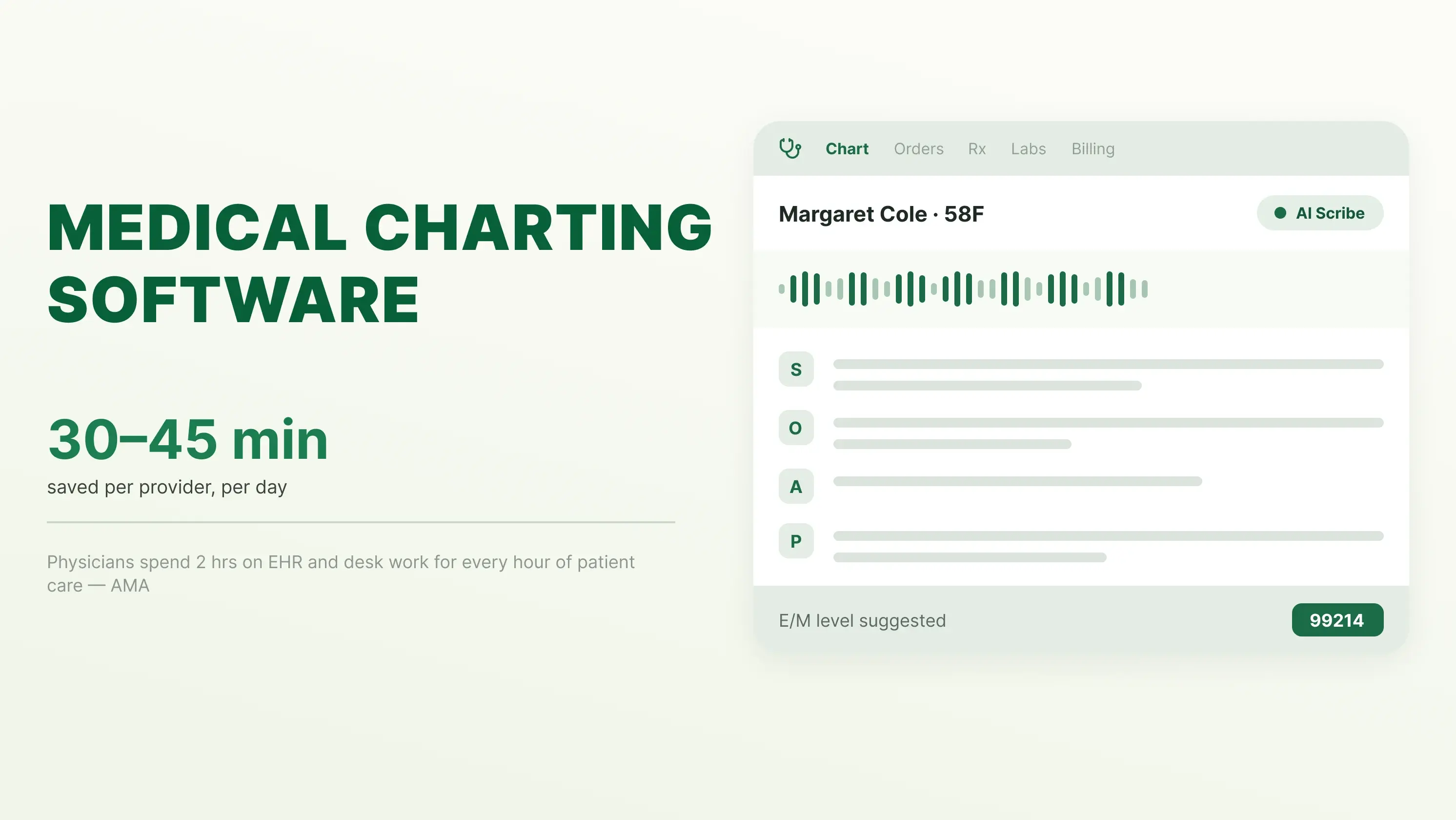
medical charting software
6 min read
Learn how medical charting software saves clinicians time, reduces manual documentation, streamlines patient records, coding, and other workflows.
September 30, 2026

Tried and Trusted by Thousands of Providers