Join our Thanksgiving Update webinar,  Monday Nov 23 at 1 PM EST

Register now
Process Claims That Move Faster, Age Less, and Get Paid on Time

Claims that sit too long turn into lost revenue. PracticeEHR gives billing teams a claims management system for full visibility, actionable insights, and the workflow they need to keep claims moving so the money comes in on time.

Book a Demo
Without a System, Claims Slip and Revenue Follows
Claims Management PS Icon 1

No Visibility Into Claims

Once submitted, claims disappear into the void. No clear view of what's pending, stuck, or aging until it's too late.

Claims Management PS Icon 2

Follow-Up Eats Hours

Without a system, follow-up takes longer than expected. Hours lost to manual tracking that still lets claims slip through.

Claims Management PS Icon 3

Aging A/R Drains Revenue

Claims over 90 days are harder to collect and easier to write off. Without visibility into aging, revenue slips away for good.

Take Full Control of Every Claim From One Screen

Claims pending, A/R aging, and payments received in one view. PracticeEHR turns scattered data into clear,
actionable insights your billing team can act on for faster reimbursements.

Claims Management Feature Card 1

Total A/R, Aging, Payments, and Pending Claims in One View

Your entire revenue cycle at a glance. Track total A/R, claims pending, average days in A/R, and payments received from a single dashboard. Color-coded aging by date of service shows exactly what's current, what's slipping, and what's overdue so your team acts before revenue is lost.

Claims Management Feature Card 2

Track Every Claim Submitted

See your electronic claim volume with real-time acceptance and rejection tracking. No waiting for reports to know where you stand.

Claims Management Feature Card 3

Know What Needs Action Right Now

Claims on hold, encounters not billed, and follow-ups needed all in one prioritized list. Act on what matters first.

Collect Faster

Move Claims Through Without the Friction

Catch issues before claims go out with AI claim editing. Submit directly through an integrated clearinghouse. Follow up by plan and patient to ensure faster reimbursement. And track denial rates and payment trends with built-in analytics to stay on track.

Book a Demo
Claims Management End Icon 1

AI Claim Editor

AI Claim Editor highlights warnings and assigns rejection probability scores so issues get fixed before claims are submitted.

Claims Management End Icon 3

Plan and Patient Follow-Up

Track claims by plan and patient with detailed follow-up reasons and visit-level status. Nothing ages without action.

Claims Management End Icon 2

Integrated Clearinghouse

Submit claims, track status, and resolve rejections without logging into separate portals. Everything stays in PracticeEHR.

Claims Management End Icon 4

Reporting & Analytics

Real-time analytics on denials, payments, and aging trends help your team catch issues before they drain revenue.

Explore More Solutions From PracticeEHR for Growing Practices

Patient Management (Child Pages Section)

Patient Management

Manage patient journeys from check-in to follow-up with connected workflows that reduce delays and improve overall experience.

Learn more Arrow icon
Billing & Payments (Child Pages Section)

Billing & Payments

Reduce payment friction at every stage by managing charges, insurance, and patient payments in one connected system.

Learn more Arrow icon
Clinical Efficiency (Child Pages Section)

Clinical Efficiency

Help providers stay focused on care with workflows that reduce interruptions, minimize documentation time, and support daily clinical work.

Learn more Arrow icon
Operational Efficiency (Child Pages Section)

Operational Efficiency

Gain end-to-end control over schedules, staff, revenue, and daily operations with all the tools you need to run a thriving practice.

Learn more Arrow icon
Reporting & Analytics (Child Pages Section)

Reporting & Analytics

Access comprehensive dashboards for instant insights and generate custom reports that support audits, planning, and decision-making.

Learn more Arrow icon
Lock icon for Privacy Section Privacy and Compliance

Designed to Protect Patient Information at Every Step

HIPAA Compliant

HIPAA Compliant

PracticeEHR is HIPAA-compliant. Conversations and documentation are securely processed and protected using industry-standard safeguards.

SOC Attested Icon

SOC 2 Attested

PracticeEHR follows SOC 2 standards for security, availability, and confidentiality, with audited controls to protect sensitive healthcare data.

Cloud Based Icon

Secure Cloud-Based Storage

Cloud-based data storage keeps charts, labs, and clinical notes accessible across locations without relying on local systems.
Read Latest Insights from PracticeEHR

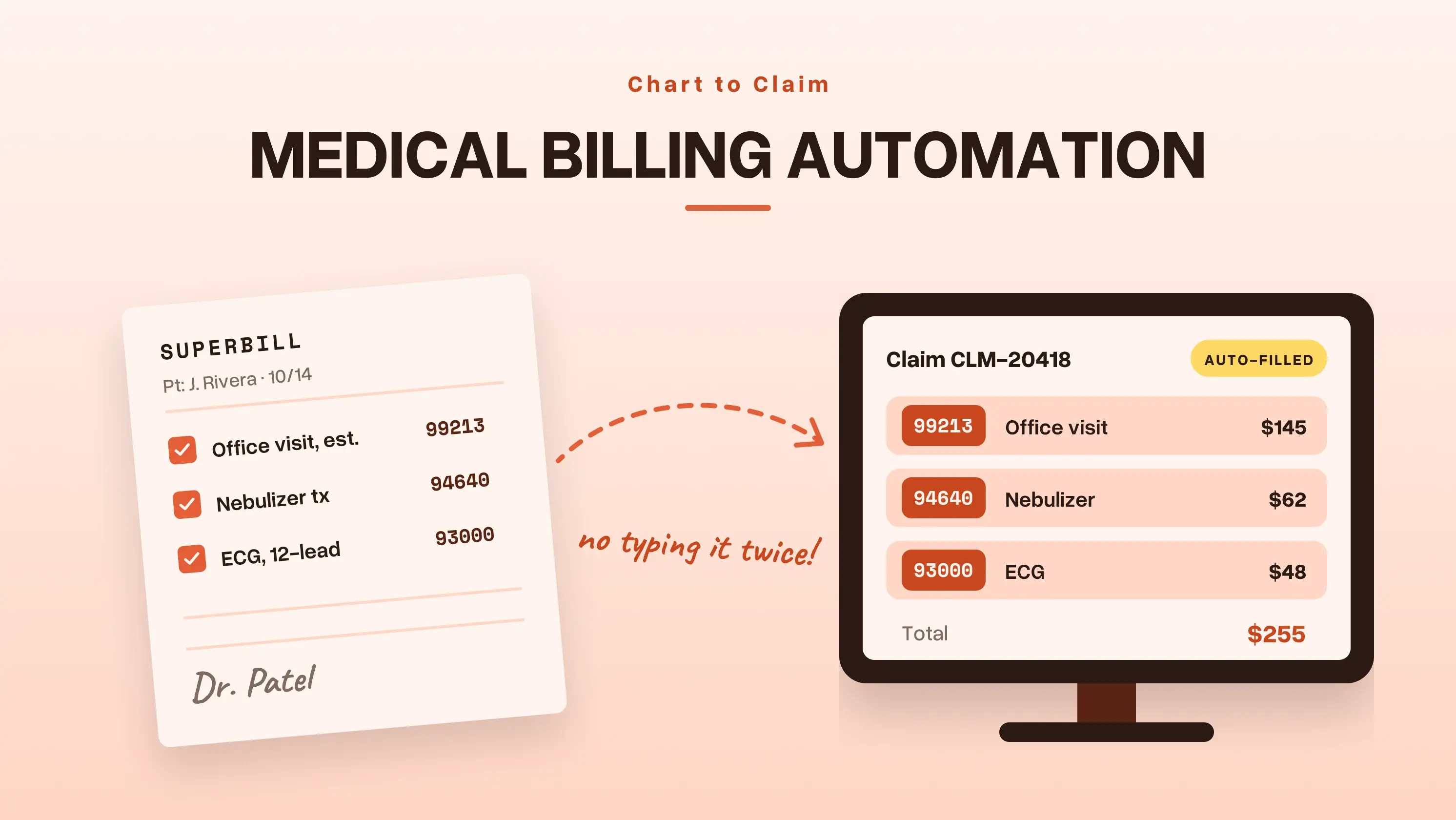
Medical Billing Automation

Medical Billing Automation

Read time icon

6 min read

Medical Billing Automation: Charge Entry, Scrubbing, and Follow-Up You Can Hand Off

Enhance your revenue cycle with medical billing automation for seamless charge entry, claim scrubbing, and follow-ups.

Calendar icon

November 19, 2026

Choosing Between Modifier GT and Modifier 95

Modifier 95

Read time icon

6 min read

Modifier GT vs 95: Which Telehealth Modifier Your Claim Needs

Confused about Modifier GT vs. 95? Learn the key differences, when to use each telehealth modifier, and how to submit accurate claims while avoiding billing errors.

Calendar icon

November 17, 2026

How Medical Billing works for Independent Practices

Medical Billing

Read time icon

6 min read

What Is Medical Billing? The Path From Visit to Payment for Independent Practices

Struggling with medical billing? Learn how independent practices can streamline claims, minimize denials, and get paid faster.

Calendar icon

November 12, 2026

Best Prior Authorization Software Solution

Prior Authorization Software

Read time icon

6 min read

Top 7 Prior Authorization Software Solutions for Faster Approvals

Stop losing hours to prior authorization requests. Compare 7 prior authorization software solutions to simplify approvals for small practices.

Calendar icon

November 10, 2026

Business Associate Agreement Mistakes to Avoid

Healthcare Data Security

Read time icon

6 min read

Business Associate Agreement Mistakes That Put Healthcare Data at Risk

Review the 7 Business Associate Agreement mistakes that trigger HIPAA fines. Fix vendor gaps, protect PHI, and get a BAA checklist.

Calendar icon

November 5, 2026

web based EHR

Tried and Trusted by Thousands of Providers

Practice the Modern Way with AI on Your Side

Streamline your entire practice with PracticeEHR's AI-native, all-in-one solution for modern healthcare.