

Key Takeaways
- Manual billing errors can delay payments, increase rework, and cause preventable claim denials.
- Automating charge entry and claim scrubbing helps practices catch errors earlier and submit cleaner claims.
- Prioritized follow-ups and real-time billing insights help reduce aging A/R and improve revenue collection.
Most denied claims are preventable. Industry data puts the preventable share between 85 and 90 percent. Yet billers in independent practices still spend half their week fixing the same errors over and over.
That gap is what automation can close.
This guide walks through the three parts of the billing workflow that eat the most hours: charge entry, claim scrubbing, and A/R follow-up. For each one, we cover the real problems billers hit every day and the practical fix for each.
What Is Medical Billing Automation?
Medical billing automation is software that handles the repetitive parts of the billing cycle without requiring each step to be done by hand. It covers eligibility checks, charge capture from the chart, claim scrubbing, submission, payment posting, denial worklists, and patient statements.
What it does not replace: appeals that need a clinical argument, payer phone calls to fight underpayments, patient conversations about unexpected balances, and tough coding calls tied to a provider’s documentation.
The useful way to think about it: let the software handle the rules. Let your biller handle the judgment.
Why Manual Billing Still Leaks Money
A few numbers to set the stage.
The industry average for first-pass claim denials is around 10-15%. The cost to rework a single denied claim ranges from $25 to $118, depending on the source. Most practices sit between 35 and 55 days in A/R when the number should be under 30.
Those numbers hide three bottlenecks:
- Charges entered incorrectly, late, or not at all.
- Claims going out with errors that could have been caught before submission.
- Denials and aging claims piling up, with no system to work them in order of priority.
The next three sections break each one down.
Problem 1: Charge Entry Is Where Money Leaks Before It Is Even Billed
What billers actually face
Talk to any biller in an independent practice, and you will hear some version of the same list:
- Providers forget to document a billable service, so it never gets charged.
- Codes are entered from memory rather than via a lookup.
- Modifiers get missed or applied incorrectly.
- Paper superbills get re-keyed into the billing system three days after the visit.
- Billers spend hours a week emailing providers to clarify what was done.
Each of these costs you twice. Once in staff time. Again in delayed cash.
How automation fixes it
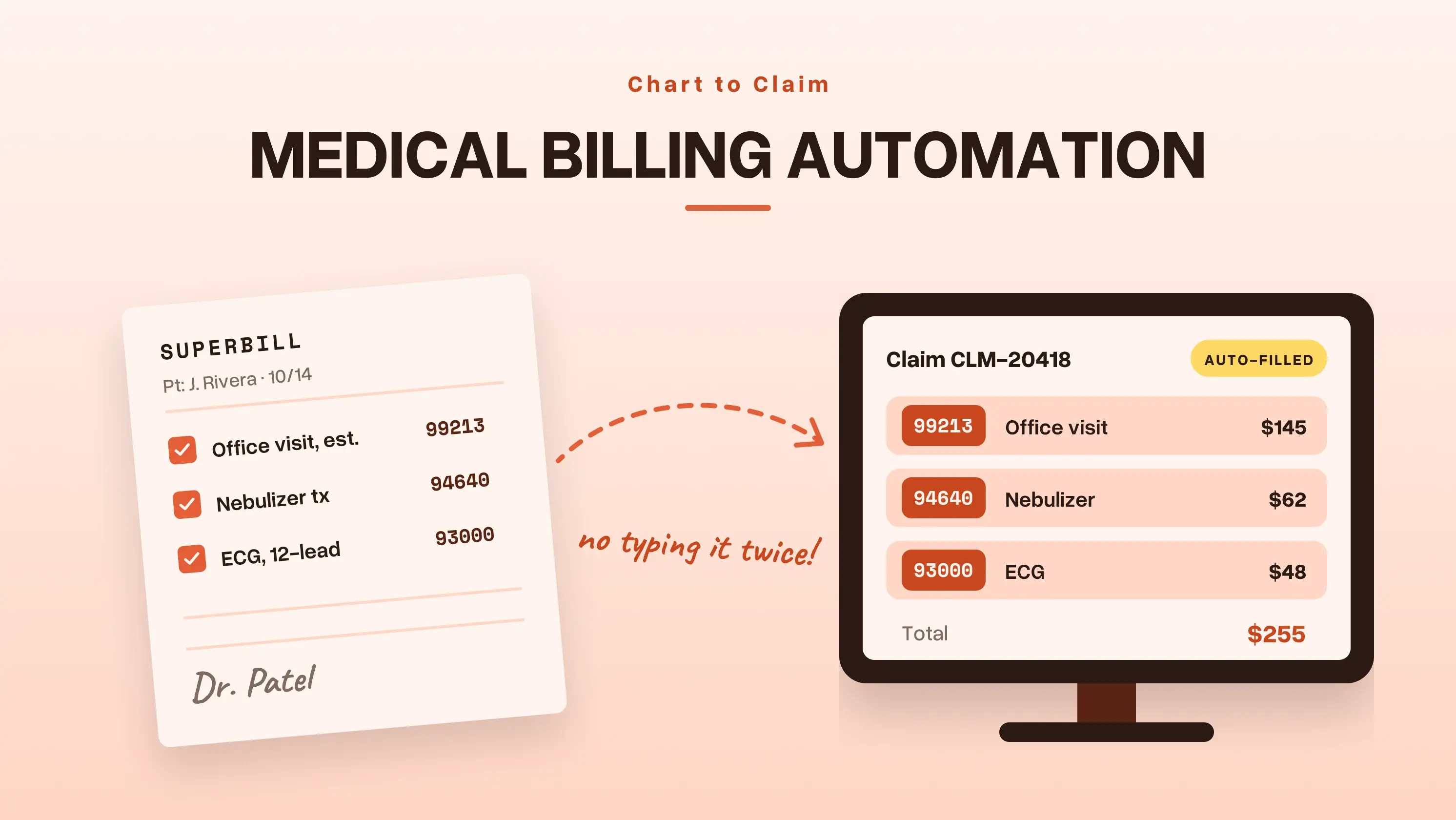
Automated charge entry closes the gap between the clinical note and the claim. When a provider closes the encounter, the charges are pulled directly from the chart into the claim. No paper, no re-keying, and no separate super-bill.
A good setup will:
- Pull CPT, ICD-10, and modifier codes from the encounter as documented by the provider.
- Apply your fee schedule by payer without a biller touching it.
- Flag incomplete charges before the provider signs off, not after a denial comes back.
- Offer specialty templates so repeat visits get coded the same way every time.
- Run NCCI edits in real time at the point of entry.
What to look for
A real charge entry automation tool should check these five things:
- The EHR and billing system are one platform, not two tools glued together.
- Fee schedules apply automatically based on the patient’s insurance.
- The system blocks the note from closing if a charge is incomplete.
- Modifier logic lives inside the entry screen, not in a separate reference guide.
- Templates exist for the top visit types in your specialty.
How PracticeEHR fixes charge entry
PracticeEHR runs clinical notes and billing on the same platform. When your provider finishes documenting, the charges automatically move into the claim. Your biller is no longer a data entry clerk.
Problem 2: Claim Scrubbing Is Where Claims Turn Into Denials
What billers actually face
Scrubbing is the highest-leverage step in billing, and it is the step most practices do halfway. The common patterns:
- Scrubbing one claim at a time, by eye.
- Payer rules change every month, and nobody updates the internal checklist.
- NCCI bundling errors slip through because the biller is unaware of the latest edit.
- Eligibility problems get caught after denial, not before submission.
- Modifiers 25, 59, 76, and 91 get used incorrectly. Payers deny. Appeals take weeks.
- The clearinghouse flags some issues, but the edits are too generic to catch payer-specific problems.
How automation fixes it
A built-in claim scrubber runs every claim against a full rules library before submission. Instead of one biller eyeballing a batch, the software runs hundreds of checks on each claim in seconds.
The result shows up in your clean claim rate. The industry average sits around 75 to 85 percent. A good scrubber pushes you past 95.
The 7 things a strong scrubber checks
- Demographics match payer records.
- Insurance is active on the date of service.
- CPT and ICD-10 pair is valid for the service.
- Modifier is correct for the code and the payer.
- NCCI bundling and MUE edits pass.
- Payer-specific policy rules are met (prior auth, frequency limits).
- The claim is still inside the timely filing window.
If your current scrubber (or clearinghouse) does not check all seven, you have a gap.
How PracticeEHR runs claim scrubbing
PracticeEHR has a built-in scrubber with a payer-specific rules library. You do not need a separate tool. Claims that fail get flagged with the exact fix needed, in plain language. Claims that pass go straight to the clearinghouse.
Problem 3: Follow-up Is Where Good Claims Go to Die
What billers actually face
Even clean claims need follow-up. Some get denied. Some get paid short. Some sit in A/R for 90 days. Some patient balances never get collected.
Follow-up separates practices that collect 95 percent of what they bill from those that write off 15 percent. It is also the step that drops first when the front desk is slammed.
The usual pain points:
- Too many claims to chase. Not enough biller hours.
- No prioritization. Billers work the first denial in the pile, not the biggest.
- Claims age past timely filing because nothing reminded anyone.
- ERAs get posted incorrectly by hand.
- Patient balances get one statement, then silence.
- Nobody sees aging buckets until month-end reports land.
How automation fixes it
Follow-up automation gives your biller a prioritized work queue every morning. The software sorts denials and aging claims by payer, dollar amount, and reason code. Your biller works the highest-value work first, not the oldest ticket.
A good follow-up system will:
- Sort denial worklists by payer, dollar amount, and reason.
- Refresh aging reports daily, split by 30, 60, 90, and 120-day buckets.
- Match ERAs to claims automatically and post the payments.
- Send patient statements on a set schedule.
- Show collection rate, denial rate, and days in A/R in real time.
What automation still cannot do
A few things need a human, and they always will:
- Complex appeals built from clinical documentation.
- Detailed conversations with patients who did not expect a balance.
This is not a bug. It is why automation is worth it. Your biller stops typing and starts working the denials that actually need a brain.
How PracticeEHR keeps follow-ups
PracticeEHR gives you billing agents for follow-ups. Agents call insurance companies and get updates on claims sent to them days ago. Meanwhile, you can complete other billing tasks. Additionally, the analytics dashboard tracks the nine billing KPIs that matter most and keeps the billers updated about their monthly goals. (More on those in our billing analytics dashboard guide.)
How to Move from Manual to Automated Billing
Switching all three pillars at once is a recipe for a messy month. Do it in stages.
- Audit your current billing workflow end-to-end. Write every step down.
- Pull your baseline numbers. Clean claim rate. Days in A/R. Denial rate by reason code.
- Pick one pillar to start. Scrubbing usually has the fastest ROI.
- Run the new process in parallel with the old one for two to four weeks.
- Train staff on the exception queue. That is where the human work now lives.
- Expand to the next pillar once your KPIs hold steady.
Expect a bumpy first month. Payer enrollment for electronic remittance takes time. New edits will flag claims the old process let through. Staff needs to learn new screens. Push through it. The second month is where the numbers start to move.
Medical Billing Automation Software Checklist
Before you sign with any vendor, check for these ten things:
- One system for EHR, practice management, and billing.
- A built-in claim scrubber, not a bolt-on.
- NCCI and payer policy edits that update automatically.
- Denial worklists sorted by payer, dollar amount, and reason.
- Real-time dashboards for clean claim rate, denial rate, and days in A/R.
- Clearinghouse connections to the payers you bill most.
- Templates for your specialty.
- Role-based access and audit logs.
- Support that answers in hours, not days.
- Pricing that fits a small or mid-size practice.
If a vendor cannot show you all ten in a demo using your own claim data, keep looking.
Explore More: Guide for outsourcing medical billing
Why Independent Practices Choose PracticeEHR
PracticeEHR runs EHR, practice management, and billing on one platform. Charges flow from the clinical note to the claim without re-keying. The built-in scrubber catches errors before submission. Billing Agents call the payers for claim updates. Denial worklists and aging dashboards provide your biller with a clear daily queue and billing agents.
For practices that want to hand off billing entirely, PracticeEHR also runs a billing services team on the same platform. Same software, their staff.
We built it for independent practices. That means enterprise-level automation without an enterprise contract.


