

Key Takeaways
- A clearinghouse move is a revenue-cycle decision, so plan for it that way from day one.
- The 2026 benchmark for first-pass claim acceptance is 95% or higher, and if your current clearinghouse isn't hitting that, you're leaving money on the table every month.
- New CMS rules, specifically CMS-0057-F for prior authorization and CMS-0053-F for electronic attachments, are quietly changing what your clearinghouse needs to handle.
- An integrated EHR-and-clearinghouse setup eliminates the handoff errors that cause most claim rejections.
- With PracticeEHR's built-in clearinghouse, you get one login, one support team, and one workflow that runs from chart to payment.
Moving to a new clearinghouse feels risky because a practice’s entire cash flow depends on it. When claims stop moving, revenue takes a hit, and that's why most practices put off the switch longer than they should. Even when the existing setup is bleeding money on rejections, the fear of a bad transition keeps them stuck.
However, the move doesn't have to be painful. With adequate preparation and the right partner, you can switch clearinghouses without losing a single billing cycle. In this article, we'll share some helpful tips to make the switch a breeze.
How to Pick a Clearinghouse That Fits Your Practice
Before you start shortlisting vendors, though, spend an afternoon with your own numbers. Pull the last 90 days of claim rejections, sort them by reason, and then look at your payer mix. A clearinghouse that boasts connections to 2,500 payers doesn't help you at all if it misses the three regional Medicaid plans you bill every day.
Once you know what you need, the conversation with the vendor gets easier. There are a handful of questions worth asking, such as:
- Does the clearinghouse integrate natively with your EHR, or does it need a workaround to function?
- What's its first-pass acceptance rate, and can it back that number up?
- Does it support real-time eligibility verification and automatic ERA posting?
- Is the claim scrubbing rule-based only, or does it use AI to find issues prior to submission?
And most critically…
- Will it be ready for the CMS-0053-F electronic attachments standard when compliance kicks in on May 26, 2028?
More often than not, an integrated setup wins on these questions. That's because when your EHR and clearinghouse come from the same vendor, the data doesn't get lost between systems, and the support team can actually resolve problems end-to-end instead of pointing fingers.
Tips for a Smooth Clearinghouse Transition
Now that you know how to find your right pick, let's get into the practical part. The following steps are what separate a clean transition from a messy one.
-
Audit Your Current Workflow First
Before rolling on with the new system, you need to audit your previous workflow. Start by documenting your current workflows, listing your payers, any rejection reasons from the past quarter, and every workaround your billing team has built to keep operations running.
This audit pays off in two ways. First, it tells you what to fix during the move, rather than carrying old problems into the new system. Second, it gives you a payer enrollment checklist so nothing gets accidentally dropped once the switch begins.
-
Go for a Low-Volume Window
You don't want to switch during your busiest month, so review your monthly claim volume and pick the quietest stretch. For most outpatient practices, that window falls somewhere in late spring or early fall.
Beyond volume, you'll also want to plan around eligibility verification. During the first couple of weeks after go-live, enrollment for specific payers may still be processed at the new clearinghouse, which means real-time eligibility checks for those payers may be limited. To avoid front-desk headaches, hold off on scheduling large panels of new patients in that early window.
-
Train Your Team in Advance
The single biggest source of post-switch issues is staff learning the new system on live claims. That's an expensive way to train, because every misrouted claim is a delayed payment, and delayed payments add up fast.
To get ahead of this, set aside two or three training sessions before you make the switch. Train your front desk on eligibility and check-in, billers on claim submissions and follow-ups, and anyone posting payments.
-
Set Milestones You Can Measure
Don't go for vague milestones; rather, opt for realistic schedules. For instance, a realistic schedule might look something like this…
- All payer enrollments to be submitted by week one
- The top ten payers are to be activated by week one.
- The first live claim batch is to be sent out by the second week
- Full claim volume running through the new clearinghouse by week four.
- Comparing your denial rate against the pre-switch baseline by week six.
When you fail to achieve any of those milestones, you know exactly where to look. And the fix remains small as well.
-
Watch the KPIs During and After the Switch
Beyond milestones, there are a handful of metrics worth tracking weekly for the first two months. Your first-pass acceptance rate is the most important, and it should be climbing toward 95% or higher. Days in A/R should stay flat or drop. Rejection rates by payer, denial-reason trends, and ERA posting times round out the list.
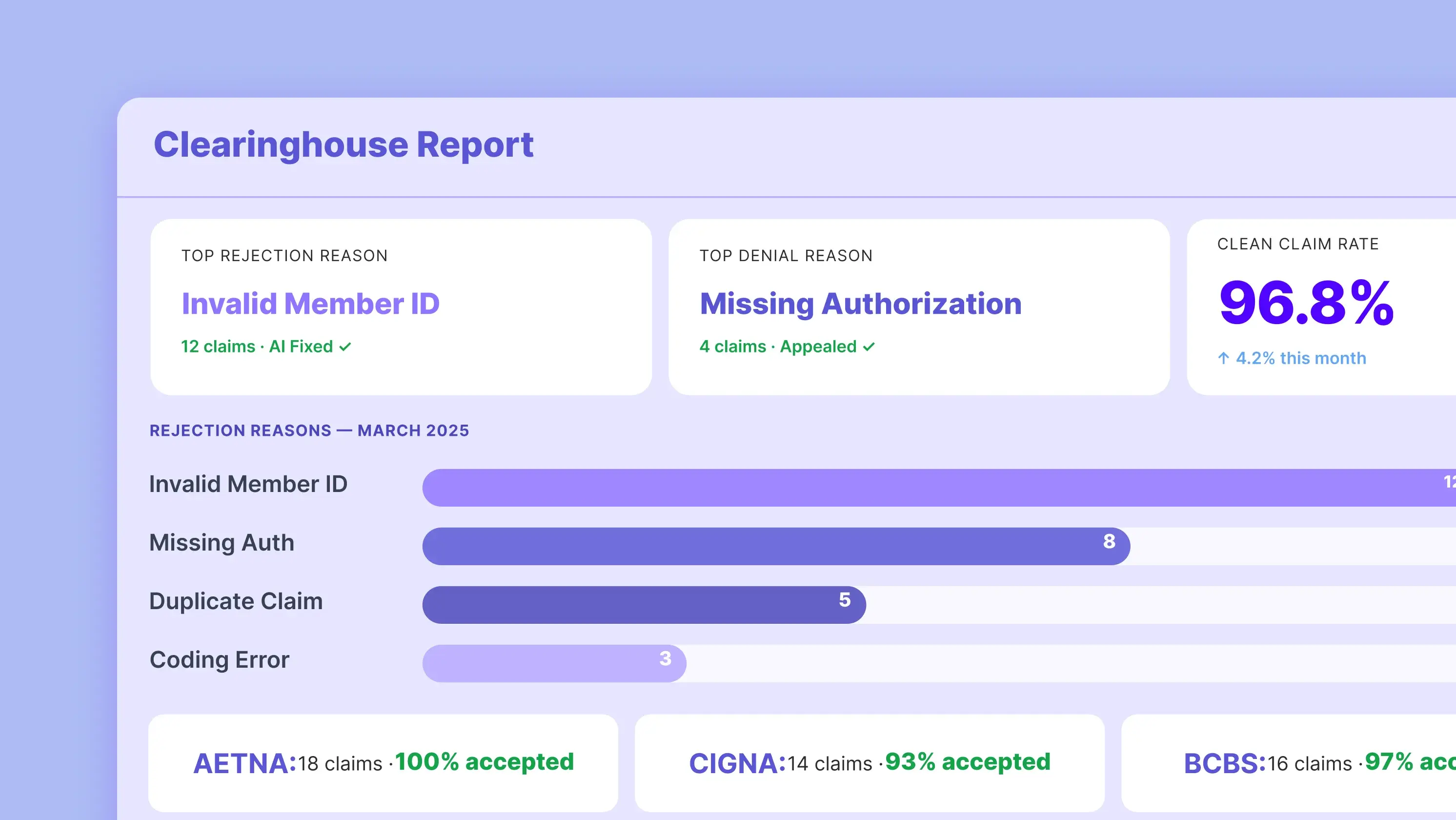
Fortunately, PracticeEHR's reporting shows all of this on a single dashboard, so you don't have to build the report yourself. That matters more than it sounds because when a specific payer starts rejecting more claims than expected, you can catch it in week one rather than at month-end close, when it's already three weeks old.
-
Keep the Old Tech Running Until the New One Proves Itself
Last but not least, resist the urge to shut off your old clearinghouse the day the new one goes live. Give it a two- to four-week overlap instead. Old claims still need status updates, old ERAs still need to post, and cutting the cord too early creates gaps that are painful to close later. Once every open claim is resolved and the new system is running clean, then you can close the old account with confidence.
How PracticeEHR Makes the Switch Easier
Let’s zoom out for a moment and think about what causes the most pain during a clearing transition. It mainly comes from making two separate systems talk to each other reliably. PracticeEHR eliminates that problem entirely by placing the clearinghouse directly into its revenue cycle management software and EHR. So charts, claims, eligibility checks, and ERAs all live on the same platform.
In practical terms, that means no data re-entry between systems, a single support team, real-time claim status without switching tabs, built-in scrubbing that catches errors prior to submission, and payer enrollment handled by our team of experts.
Because it’s a cloud-based EHR, there’s nothing to install and updates flow automatically. For small practices that don’t have any IT or billing staff, this is often the difference between a switch that takes six weeks and one that drags on for six months.
So if you're ready to see what a properly integrated clearinghouse actually looks like in practice, book a demo with us. We'll walk through your current billing workflow, show you where claims are getting stuck today, and map out what a move to PracticeEHR would look like for your specific practice.
Read more: How to Change Healthcare Clearinghouses Without Breaking Your Cash Flow
FAQs

.svg)
