

Key Takeaways
- HIPAA compliance requires more than a Business Associate Agreement or marketing claim.
- Look for strong access controls, encryption, audit logs, and backups.
- Choose an EHR that supports technical, physical, and operational safeguards.
Imagine one of your staff members opens a shared computer to review a patient’s chart and discovers that a former employee's account is still active. Or a sudden ransomware attack blocks your access to patient records. In such a case, your EHR remains HIPAA-compliant only on brand advertising pages, not in practice.
The US Department of Health and Human Services HHS enforcement actions show why these safeguards matter. Last year, HHS’ Office for Civil Rights reached a $227,816 settlement with Health Fitness Corporation, a US-based wellness company. The corporation failed to conduct an accurate and thorough risk analysis of the electronic protected health information (ePHI) it held.
If you are also evaluating the right EHR software in 2026, HIPAA compliance should mean more than a checkbox to you. This guide breaks down the features and requirements of HIPAA-compliant EHR software that practices should verify before signing a contract.
What Does “HIPAA-Compliant EHR” Actually Mean?
The phrase “HIPAA-compliant EHR” can be misleading. HIPAA does not certify or approve specific EHR software. Instead, the law establishes requirements for covered entities and business associates. They are liable to create, receive, maintain, or transmit protected health information (PHI).
An EHR should provide safeguards that help a practice meet these requirements and protect electronic PHI from unauthorized access, use, or disclosure.
The HIPAA Privacy Rule and What It Requires From Your EHR
The HIPAA Privacy Rule establishes national standards to protect individuals' medical records and other medical-related details, collectively known as Protected Health Information (PHI).
The privacy rule applies to all health insurance plans, treatment plans, healthcare clearinghouses, and the software responsible for carrying out healthcare-related operations. The rule also requires appropriate safeguards to protect the privacy of protected health information and sets limits and conditions on the uses of private medical records.
Features such as user permissions, role-based access, patient record access controls, and secure messaging can help practices implement these requirements in their daily workflows.
Business Associate Agreement (BAA) - Qualifier without which compliance is impossible
A Business Associate Agreement (BAA) is the contract that makes an EHR vendor legally responsible for their portion of PHI handling. Without a signed BAA, the vendor isn't bound by HIPAA at all; you are, entirely.
Any vendor that hesitates to sign a BAA or offers a version with heavy carve-outs limiting their liability is not a HIPAA-compliant EHR vendor. This is the first question to ask, not the last.
Required Technical Features of a HIPAA-Compliant EHR
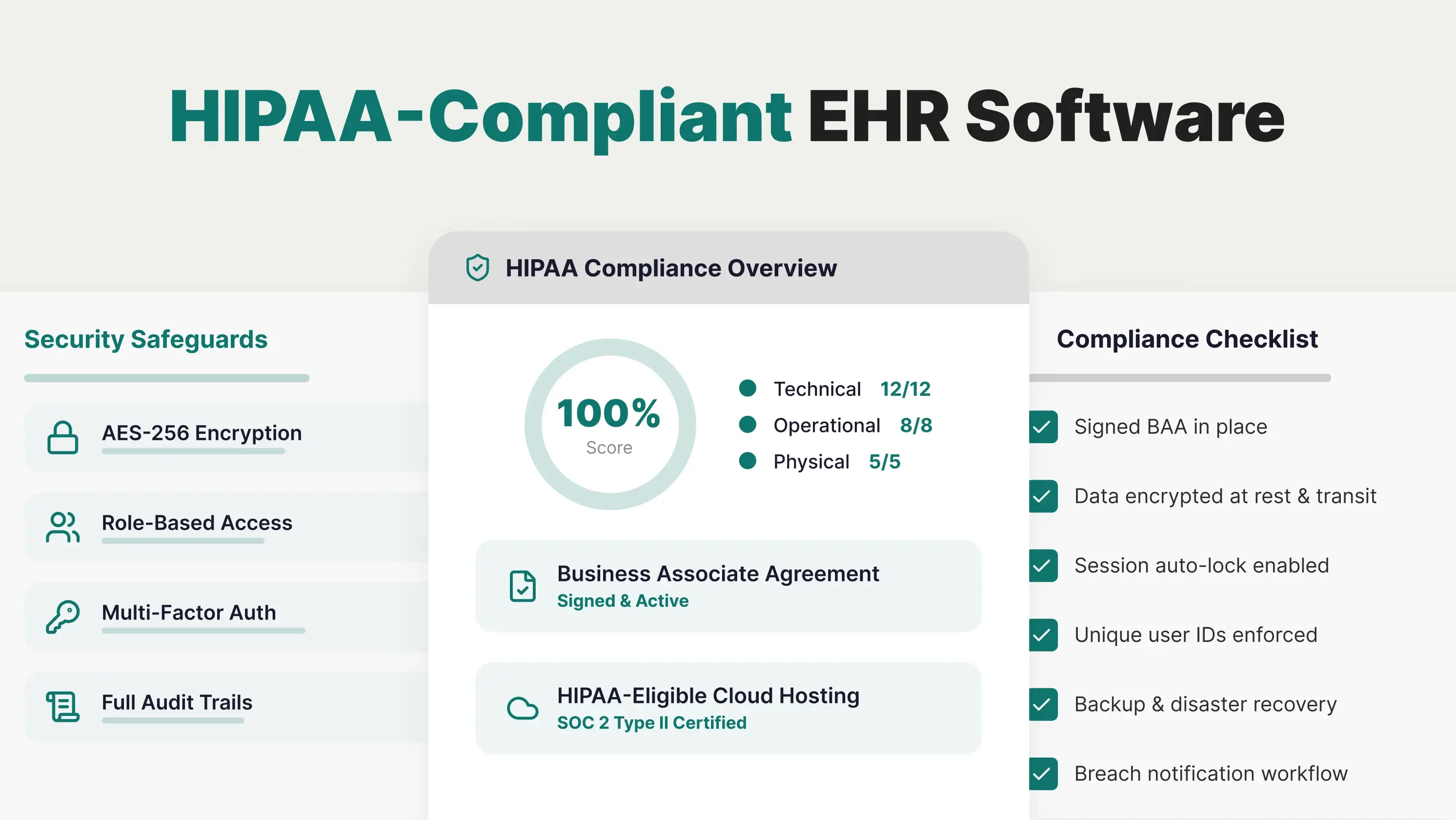
Use this as your feature checklist during vendor evaluation. Every item is derived from the Security Rule's technical safeguards standards.
-
Encryption at rest and in transit
PHI must be encrypted when stored on servers and when moving between systems. AES-256 is the minimum standard. Ask vendors what encryption protocol they use for database storage, backups, and API calls.
-
Role-based access control (RBAC)
Staff see only what their role requires. A good EHR supports granular role definitions, not just "admin" and "user,” so you can separate billing, front desk, providers, and MAs.
-
Multi-factor authentication (MFA)
Password-only login is no longer acceptable. MFA should be required for all users, not optional, and should extend to mobile access.
-
Unique user IDs and strong authentication
Shared logins are a HIPAA violation waiting to happen. Every user needs their own ID so the audit log can attribute every action to a specific person.
-
Automatic session timeouts and idle logouts
Unattended workstations are among the most common vectors for breaches. The EHR should auto-lock after a defined idle period, typically 5–15 minutes.
-
Full audit trails and access logs
Every view, edit, download, and print of PHI needs to be logged with the user, timestamp, and action. Audit logs must be tamper-proof and retained for a minimum of six years.
-
Break-glass emergency access controls
Providers need a documented way to override normal access controls in emergencies, with the override logged for review.
-
Encrypted mobile access
If your EHR has a mobile app or supports mobile browsers, the connection and any cached data must be encrypted. Devices should support remote wipe.
-
Secure provider-to-provider messaging
Email is not HIPAA-compliant by default. The EHR needs a built-in messaging system that encrypts PHI in transit and stores it within a secure environment.
-
Automated data backup and disaster recovery
HIPAA requires a contingency plan. Your EHR needs automated backups, tested recovery procedures, and a documented RTO/RPO (recovery time and recovery point objectives).
-
PHI de-identification for reporting
When you run analytics or share data for research, the EHR should support de-identification methods aligned with 45 CFR 164.514.
-
HIPAA-eligible cloud hosting
Cloud-hosted EHRs need to run on HIPAA-eligible infrastructure (AWS, Azure, GCP all offer this) with a BAA covering the hosting layer. Ask which cloud provider hosts your PHI and whether the vendor has a BAA with them.
What Are the HIPAA Rules for User Authentication?
Under the HIPAA Security Rule, practices must implement procedures to verify that a person or entity seeking access to electronic protected health information (ePHI) is the one they claim to be.
HIPAA does not prescribe one specific authentication method, such as passwords or multi-factor authentication (MFA); the appropriate method should be determined based on the organization’s risk analysis.
For an EHR, this means each person who accesses ePHI should have a way to be uniquely identified and authenticated. HIPAA also requires covered entities to assign unique user IDs to identify and track user activity. Shared usernames should not be used for employees accessing systems containing ePHI.
Authentication can use different factors, including:
- Something you know: password or PIN
- Something you have: a security token or an authentication device
- Something you are: fingerprint or other biometric
Operational Requirements of a HIPAA-Compliant EHR
Technical features alone don't create compliance. Your EHR also needs to support the operational side of HIPAA.
-
User provisioning and de-provisioning
When someone joins your practice, they need access. When they leave, that access needs to disappear the same day. An EHR without a fast, documented offboarding workflow leaves you with orphaned accounts, a common finding in HIPAA audits.
-
Access reviews and permission audits
You need to be able to pull a report showing who has access to what, at any time. This supports the annual access reviews required by HIPAA and provides evidence during an audit.
-
Incident response and breach notification support
If a breach occurs, you have 60 days to notify affected patients and, if over 500 records are involved, HHS. Your EHR should help you identify what was accessed, by whom, and when.
-
Employee training and access documentation
Your EHR vendor should provide training resources and documentation of user access levels; evidence you can hand to auditors.
-
Vendor-provided compliance reporting
Ask what compliance reports the vendor provides on request: SOC 2 reports, penetration test summaries, and incident logs. A vendor that can't produce these is a red flag.
Physical Safeguards Your EHR Must Support
Even with the cloud-based EHR, physical security still matters. Your vendor should have safeguards to protect the facility that handles PHI.
-
Data center certifications
For cloud EHRs, the underlying data centers should hold SOC 2 Type II and, ideally, HITRUST CSF certifications. These aren't HIPAA certifications, but they demonstrate audited security controls.
-
Workstation security requirements
The EHR should support workstation-level controls, auto-lock, encrypted local storage, and restrictions on which devices can access the system.
-
Device and media disposal
When a device is decommissioned or a hard drive is replaced, PHI needs to be destroyed in accordance with HIPAA standards. Your vendor should document their disposal process.
-
Facility access for on-premise deployments
If you host the EHR on-site, physical access to servers becomes your responsibility. Cloud EHRs shift this to the vendor and their data center provider.
Cloud vs On-Premise: Which Better Supports HIPAA Compliance?
Cloud-based EHRs use a shared responsibility model. The vendor secures the infrastructure: data centers, servers, and network. You secure user access, workflows, and training. For most practices, this arrangement is more compliant by default because the vendor handles the layers most likely to fail in a small clinic.
On-premise EHRs put every layer on you. Server security, backups, patching, physical access, disaster recovery; all your responsibility. For practices without dedicated IT, this becomes hard to sustain over time, and audit findings tend to accumulate.
Practice size matters. Solo and small-group practices are almost always better served by a cloud EHR simply because the compliance load is lower. Larger organizations with mature IT teams sometimes prefer on-premise for control reasons, but the compliance overhead is real.
How PracticeEHR Supports HIPAA Requirements
A HIPAA-compliant EHR should give your practice more than a compliance claim. It should provide the security controls, access management, and documentation needed to protect electronic protected health information (ePHI).
PracticeEHR supports these requirements by providing role-based access controls that allow practices to set different permissions for providers, billing teams, front-desk staff, and other users.
PracticeEHR also provides a Business Associate Agreement (BAA) and operates on HIPAA-eligible cloud infrastructure, with SOC 2 Type II attestation available on request.
When evaluating an EHR, look beyond the “HIPAA compliant” label. Verify the safeguards, access controls, vendor agreements, and security documentation behind the claim.
Ready to see how PracticeEHR supports your practice's HIPAA requirements? Book a 60-minute free demo.

.svg)

