

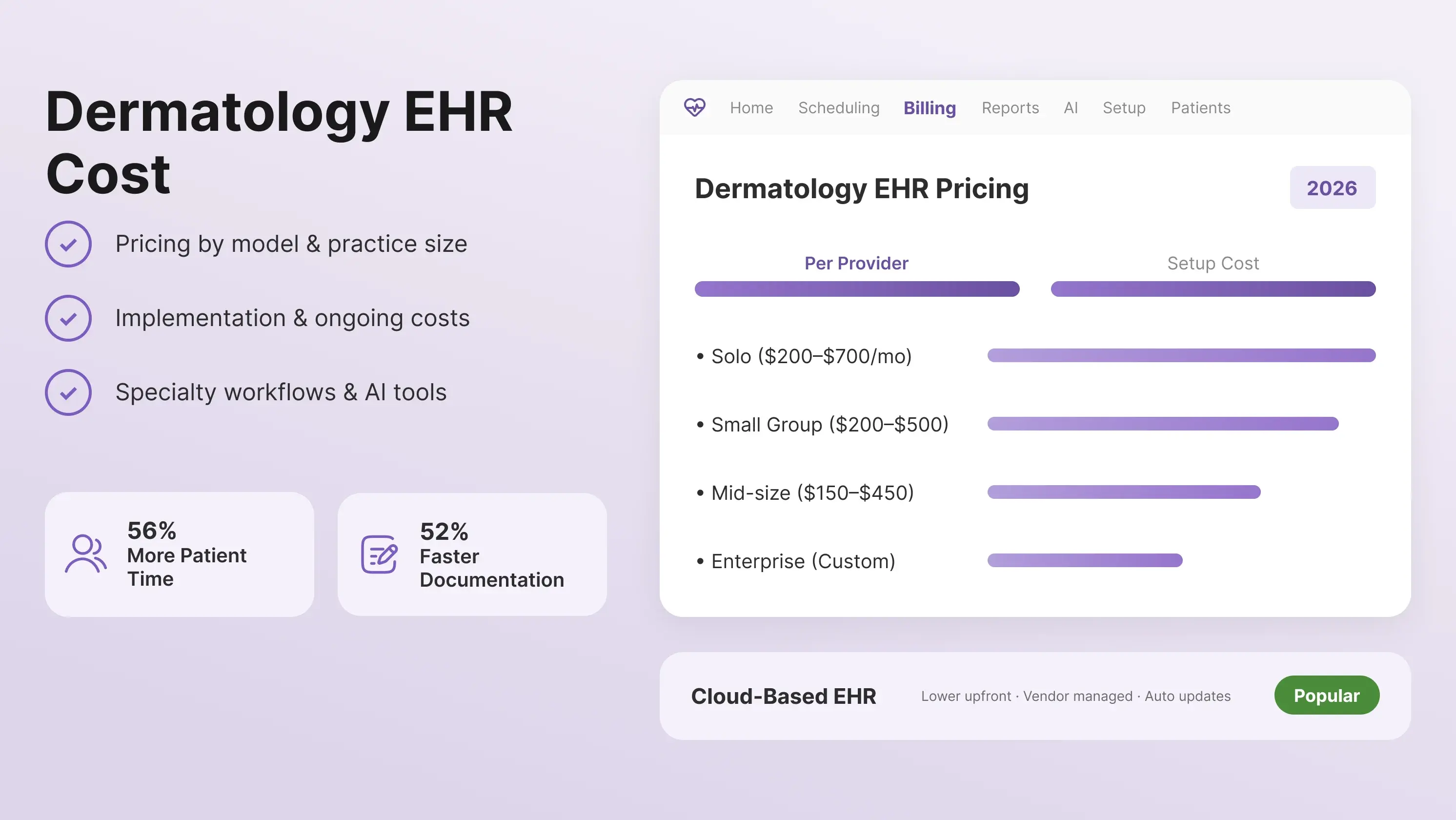
Key Takeaways
- The price of a dermatology EHR varies across the vendors on the market. The price is based on the pricing model, services included, and practice size.
- Look beyond the monthly subscription and consider implementation, integrations, billing, and other ongoing costs.
- Choose a dermatology EHR that supports specialty-specific workflows, imaging, e-prescribing, billing, and AI-powered tools.
Choosing a dermatology EHR for your practice is rarely a simple job. A software vendor may advertise a low price for the software, but the rest of the add-ons, like implementation fee, data migration, and patient communication fee, make it difficult for small practices to purchase a reliable dermatology EHR.
For dermatology practices, the right question is not just “How much does a dermatology EHR cost?” It is “What will I actually pay to run it?”
To make this search easier for you, we have designed a guide that will help you break down the actual cost related to the software. You will find typical pricing ranges, the factors that drive EHR costs, implementation and ongoing fees, and the dermatology EHR features worth paying for.
Dermatology EHR Cost at a Glance
The cost of dermatology EHRs varies with the number of providers requiring it. For instance, a solo dermatologist may need basic clinical documentation and e-prescribing, while a larger dermatology practice may need pathology integrations, medical imaging, cosmetic procedure workflows, billing, multiple locations, and advanced reporting.
The table below provides estimated industry pricing ranges for dermatology EHR software based on practice size.
How Dermatology EHR Pricing Works
The pricing of dermatology EHR does not work the same way across all vendors. It varies with the pricing plans. Some offer a monthly subscription fee, while others might offer a one-time license or combine the EHR with billing services.
Understanding the pricing model can help dermatologists look beyond the advertised monthly rate and estimate the actual cost of running the software.
-
Subscription/SaaS Model
Subscription-based or Software-as-a-Service (SaaS) pricing is one of the most common models for cloud-based dermatology EHR software. The practice typically pays a recurring monthly or annual fee rather than purchasing and maintaining the software on its own servers.
Pricing may be calculated per provider, per month. However, some vendors may also charge for additional users, locations, storage, or specific features.
-
Perpetual Licensing
A perpetual license grants providers the right to use the EHR software, rather than paying only for ongoing access. This model is more commonly associated with server-based or on-premise systems.
The initial software license can represent a significant upfront expense. For a dermatology practice, the lower recurring software cost of a perpetual license does not necessarily mean a lower total cost of ownership. You must consider both the initial investment and the ongoing costs of maintaining the system over several years.
-
EHR + Billing/RCM Bundle
Some vendors combine the EHR with practice management, medical billing, or revenue cycle management (RCM) services. Instead of paying only for software access, you have to pay a percentage of collections or a separate fee for billing services.
However, at PracticeEHR, if you choose the RCM package, you have to pay a small percentage of monthly revenue, with the EHR and practice management software included at no additional cost.
Such a model can be relevant for dermatologists who do not want to pay separately for the RCM software and then hire or manage a billing team. They will get the full platform (EHR+PM+RCM) and dedicated billing support under one RCM model.
What Determines the Cost of a Dermatology EHR?
Two practices with the same number of providers may pay different amounts because they need different features or services. When comparing dermatology EHR pricing, consider these factors alongside the advertised monthly rate.
-
Number of Providers and Users
Most dermatology EHR vendors price their software based on the number of providers using the system. A solo dermatologist may pay a higher per-provider rate than a larger practice because group practices can receive volume-based pricing.
However, the provider count is not always the only factor. Some vendors may charge separately for additional clinical or administrative users, locations, or user licenses. But the good news is that PracticeEHR will not charge for other resources or users.
PracticeEHR charges only on a per-provider basis. In the setup module, providers can decide which resources each user should have access to and the level of access they need.
Before signing up, confirm whether the quoted price covers everyone who needs access to the system and whether adding providers or staff later will change your monthly cost.
-
Cloud-Based vs. Server-Based Deployment
How the EHR is hosted can also affect the total cost. A cloud-based dermatology EHR typically uses a recurring subscription model, with the vendor responsible for hosting and software maintenance.
It is especially beneficial if you own a multi-location practice, as cloud-based EHRs allow different locations to work from the same system without each site maintaining its own server infrastructure.
On the other hand, on-premise or server-based systems may require a larger upfront investment for software licenses, hardware, IT support, backups, security, and maintenance. This software can also support multi-location practices, but the practice typically needs more infrastructure to connect those locations to the central system.
-
Dermatology Specific Features
Specialty-specific functionality can influence the price of a dermatology EHR. Basic software should support general documentation and scheduling. But a dermatology-focused platform should include tools for workflows such as biopsies, pathology, medical imaging, cosmetic procedures, and Mohs surgery.
Other features may include dermatology templates, procedure documentation, image management, coding support, and specialty-specific reporting.
If a practice needs these capabilities, choosing a lower-priced EHR that requires separate software or manual workarounds can increase the overall cost.
-
Practice Management and Billing
Some dermatology EHRs include practice management and billing as part of the software package, while others charge separately for these functions.
Practice management features can include scheduling, patient registration, eligibility checks, claims management, payment posting, and reporting. Billing and revenue cycle management (RCM) may also be available as an additional service.
When comparing dermatology EHR software costs, look at whether these functions are included in the base subscription or require separate fees. A lower EHR price may not represent a lower total cost if essential billing or practice management tools are sold separately.
Which Dermatology EHR Features Are Worth Paying For?
When comparing dermatology EHR pricing, you should focus on the features that can alleviate the workload from you and your staff. The software should support specialty-specific workflow and improve patient communication.
Do consider the following features when evaluating an EHR software:
-
Dermatology-Specific Templates
Generic EHR templates can make routine dermatology visits more time-consuming than they need to be. A dermatology-focused system should give providers templates built around the way they actually document skin exams, biopsies, procedures, and follow-up visits.
For practices performing Mohs surgery or other surgical procedures, customizable templates can be particularly useful. Instead of reshaping a general template for every visit, providers can start with a workflow that already fits their specialty and adjust it as needed.
-
High-Resolution Imaging and Lesion Tracking
High-resolution images are crucial to any dermatology practice. Being able to capture and store high-resolution skin images directly in the patient chart can make it easier to monitor changes over time.
Look for an EHR that lets you compare images within the patient record rather than requiring staff to move between the EHR and a separate image-management system.
-
E-Prescribing and EPCS
E-prescribing is a basic requirement for many dermatology practices, but it is still worth checking what is actually included in the EHR price.
For example, dermatologists may need electronic prescribing for medications such as isotretinoin, along with allergy and drug-interaction checks. If controlled substances are prescribed, EPCS capabilities are another consideration.
Before signing a contract, confirm whether e-prescribing and EPCS are included in the base plan or charged as separate add-ons. For example, PracticeEHR’s dermatology platform includes EPCS-certified e-prescribing with allergy and interaction checks.
-
Cosmetic Inventory and Cash Billing
Dermatology practices that offer cosmetic services have a different set of needs from practices focused only on medical dermatology.
If your practice sells retail products or uses injectables, built-in inventory management can help track those products without maintaining a separate system. Cash and non-insurance billing can also be handled alongside the medical side of the practice.
This is one area where an all-in-one dermatology EHR can make a practical difference. Instead of keeping medical records in one system and cosmetic inventory or payments somewhere else, the workflows can stay connected.
-
AI for Documentation and Billing
AI can be valuable when it removes repetitive work rather than simply adding another feature to the software.
For dermatologists, tools like AI Scribe can listen during the visit and turn the conversation into a structured note. It reduces the amount of documentation providers have to complete after seeing patients. For instance, in a recent internal survey, doctors reported 56% more time with patients and 43% drop in documentation time per appointment, using PracticeEHR’s multilingual AI Scribe.
AI can also be useful on the billing side. An AI Claim Editor can review claims before submission and flag potential coding or other rejection issues. That gives billing teams an opportunity to fix problems before a claim reaches the payer.
For a dermatology practice, these features are worth evaluating based on the time they can save and the amount of manual work they remove, rather than simply counting how many AI tools a vendor offers.
Explore more: Essential Features for a Dermatology EHR
Dermatology EHR Cost in Practice: MedZone Spa Case Study
The value of an EHR becomes clearer when you look beyond individual features and see how they affect day-to-day operations. MedZone Spa, a medical spa in Ohio, used PracticeEHR to address several workflow challenges, including payment processing, membership management, check-ins, no-shows, and documentation.
After implementing PracticeEHR, MedZone Spa reported:
- 54% reduction in patient wait time
- 52% faster documentation
- 27% increase in membership enrollment
- 41% reduction in missed appointments
The practice also reduced documentation time from around 10 minutes to under 5 minutes per patient using AI Scribe.
Read the full MedZone Spa case study here.
See What PracticeEHR Can Do for Your Dermatology Practice
Choosing the right dermatology EHR is about more than comparing pricing and feature lists. Look for a dermatology EHR that supports specialty-specific documentation, skin imaging, e-prescribing, cosmetic workflows, patient engagement, and billing without adding unnecessary complexity.
PracticeEHR brings these capabilities together in one cloud-based platform. With dermatology-specific workflows and integrated clinical, administrative, billing, and AI tools, PracticeEHR helps practices spend less time managing their EHR and more time caring for patients.
See how PracticeEHR can fit your dermatology workflow. Book a 60-minute personalized demo today.

.svg)

