

Key Takeaways
- Superbills help patients seek reimbursement from insurers for eligible out-of-network healthcare services.
- Accurate billing codes and complete information can help prevent claim denials.
- AI-powered EHR tools help identify billing errors and simplify the billing workflow.
Did you know you may be able to get reimbursed for a healthcare visit even if your provider doesn’t bill your insurance directly?
That’s where a superbill comes in. It’s an itemized document that records the services provided, associated costs, and billing codes your insurance company uses to evaluate an out-of-network reimbursement claim.
In this guide, we’ll explain what a superbill is, what information it includes, how patients and providers use it, and how to create one with a free superbill template.
What Is a Superbill in Medical Billing?
A superbill is a detailed document that lists every service a provider delivered during a visit, along with the codes and fees needed to file an insurance claim.
It’s an insurance-ready receipt. A regular receipt tells you what you paid. A superbill tells your insurance company exactly what was done, why it was done, and how much it cost, using the codes insurers require to process claims.
How Do Superbills Work?
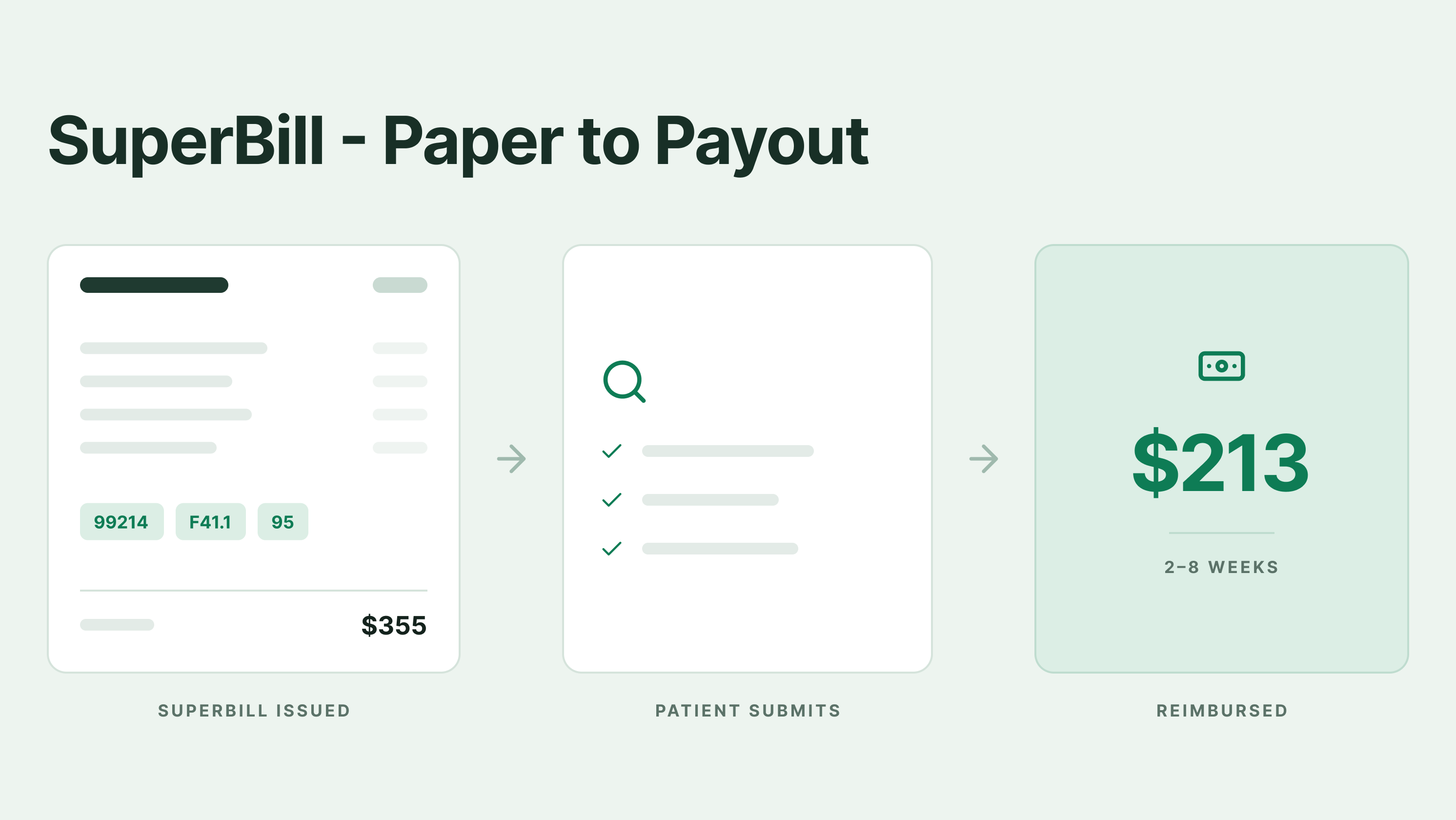
The process is simpler than most people think. Here are the six steps your patient can follow to obtain reimbursement from insurance companies if you can't bill their insurance directly.
- Patient receives care: You visited your doctor for a routine checkup, but he did not bill your insurance directly. You paid their full fee at the time of service.
- Provider generates the superbill: After the visit, the provider’s EHR or billing system generates a superbill that includes all codes, fees, and details your insurer requires.
- Patient receives the superbill: You get it by email, via the patient portal, or as a printed hard copy.
- Patient submits to insurance: You attach the superbill to your insurer’s claim form and submit it. Most insurers accept online portal uploads, mail, or fax.
- Insurance reviews: Your insurer checks the codes, verifies your out-of-network benefits, applies any deductible, and calculates reimbursement.
- Reimbursement issued: You receive a check or direct deposit for the covered amount. If the deductible was not met, nothing comes back right away, but the charges still apply toward it.
Turnaround varies. Some insurers pay within two weeks. Others take two months.
What Is the Importance of a Superbill?
When a healthcare provider doesn’t bill insurance directly, you may struggle to get reimbursed for the care you received. A superbill simplifies that process by consolidating the essential billing details into a single document.
Here’s why it is equally important for both patients and providers.
Benefits of a Superbill for patients
- Superbills let you recover money from your insurance when you see out-of-network providers.
- They apply charges toward your out-of-network deductible, even if your insurer never cuts a reimbursement check.
- They give you one document with every code and fee your insurer needs, so you don’t chase your provider for details.
Benefits of a Superbill for providers
- Cash-pay and out-of-network practices can skip the claims process entirely. The patient handles submission.
- Fewer insurance denials to work through.
- Lower administrative costs. No billing staff needed for every claim.
- Faster patient payments, since you collect at the point of service.
If your doctor's issue clean superbills, it keeps you happy and keeps their own back office small.
What Is a Superbill Used For?
Superbills are used for various purposes. Here are the three main uses:
- Out-of-network insurance reimbursement: The patient pays the provider upfront, receives a superbill, submits it to their insurance, and receives partial reimbursement under their out-of-network benefits.
- Deductible tracking: Even if your insurance pays nothing at this time, the superbill still counts toward your out-of-network deductible.
- HSA/FSA documentation: For HSA or FSA funds, you need an itemized receipt with CPT codes. A superbill easily qualifies for that.
Therapy, chiropractic care, acupuncture, physical therapy, and specialty medical visits are the most common situations in which superbills appear.
How to Submit a Superbill to Insurance
Submitting a superbill to insurance companies is the first step towards getting reimbursement. Here are five easy steps your patients can follow to submit their superbill to an insurance company
- Get a superbill from the provider: Ask for it in writing if they have not offered it. Most clinics issue them monthly.
- Check the information: Verify that your name, insurance ID, dates of service, and codes are correct. One typo can lead to denial or delay reimbursement by weeks.
- Find your payer’s claim form: Log in to your insurance portal and look for “submit a claim” or “out-of-network claim.” If you can’t find it, call member services.
- Attach the superbill and submit: Upload through the portal if available. Mail or fax if not. Keep a copy for your records.
- Track the claim: Most portals show claim status. Follow up after two weeks if you don’t see movement.
Why Superbills Get Rejected: The Most Common Reasons
Most superbill denials come from administrative errors, not clinical ones. Based on common claim rejection patterns reported by medical billing associations and payer data, here are the most frequent causes.
- Missing or invalid NPI: Providers forget to include their NPI or use the group NPI instead of the individual rendering NPI.
- ICD-10 code mismatch: The diagnosis code doesn’t support medical necessity for the billed CPT code. Such a mismatch can cause denials.
- Timely filing exceeded: Patient submitted the superbill after the insurer’s 90–180 day window.
- Missing provider signature: Electronic signatures get rejected by some commercial payers. Make sure to sign the bills yourself.
- Wrong place-of-service code: Billers often code the place of service incorrectly. For instance, Telehealth sessions are coded as in-office visits.
- Modifier missing: No modifier 95 for telehealth, no modifier 25 for same-day E/M + procedure.
- Patient info mismatch: Name spelling or DOB doesn’t match insurance records.
How AI Is Fixing Superbill Errors Before They Happen
Most superbill rejections come from small, catchable errors. AI tools built into modern EHR and billing software now catch these errors before the superbill ever reaches the patient.
Here’s how PracticeEHR’s six-tool AI suite handles the most common superbill problems:
-
AI Claim Editor flags errors before submission
Every superbill runs through the AI Claim Editor before it leaves the system. Missing modifiers, incorrect place-of-service codes, mismatched ICD-10 and CPT pairings, and incomplete provider fields are flagged with a specific warning. Staff fixes the issue within seconds, rather than waiting for the insurer to deny the claim weeks later.
-
AI Scanner removes patient info typos
Patient name, DOB, and insurance ID get pulled directly from the insurance card or ID photo. No manual typing. No “John Smith” vs “Jon Smith” rejections.
-
AI Assist answers coding questions in real time
Billing staff who aren’t sure which modifier applies or what POS code fits a telehealth visit can ask AI Assist and get an answer inside the platform. No more digging through CPT manuals or calling colleagues.
-
IVR Agent follows up on submitted claims
Once a superbill-based claim is submitted, the IVR Agent handles the outbound payer calls to check status. Staff don't spend hours on hold with Aetna or BCBS.
Read more: How is AI Revolutionizing the Medical Billing Process
Let PracticeEHR Handle Your Superbills
A superbill is only as useful as the information it contains. Incorrect diagnosis codes, missing modifiers, and place-of-service errors can delay reimbursement and create extra administrative work for your practice.
PracticeEHR helps streamline your billing workflow with an integrated clearinghouse, AI-powered tools, and dedicated billing support through its revenue cycle management (RCM) services. Catch potential claim errors before submission, reduce manual follow-up, and spend less time managing billing tasks.
Ready to simplify your practice’s billing workflow? Request a free 60-minute demo to see how PracticeEHR can support your billing operations.
FAQs

.svg)
