

Key Takeaways
- The right medical scheduling software keeps the entire patient journey connected, from booking to check-in.
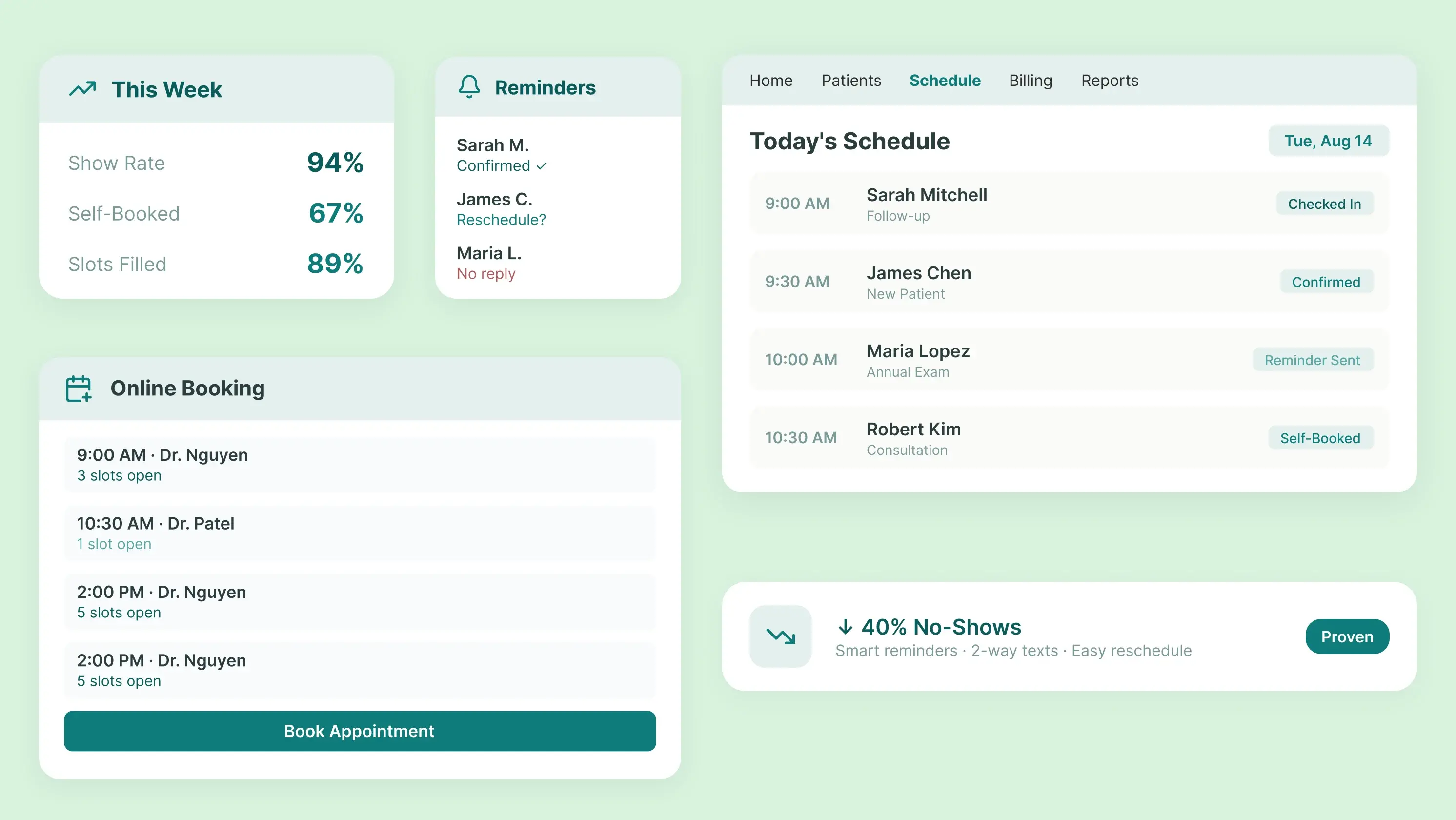
- Online self-scheduling helps reduce phone calls, simplify rescheduling, and improve the patient experience.
- Small practices should choose scheduling software that integrates with their EHR, intake, billing, and other workflows.
It's 10:30 on a Tuesday morning, and your front desk has already taken a dozen calls. A few reschedules. A couple of patients who booked online but called anyway because the confirmation text never showed up. The chart for the 11:00 am patient is not ready because scheduling and intake are on different systems
That is what legacy medical scheduling software looks like in most of the small practices!
This guide is for practice managers and physician-owners running small independent practices with 2 to 10 providers. It will cover what medical scheduling software is, how it actually works, the four types you will run into, and what to look for before you sign a contract you will regret in a year.
What is Medical Scheduling Software?
Medical scheduling software is the technology practices use to manage appointment booking, provider calendars, reminders, and rescheduling. It replaces the phone-and-paper model with a system your staff and your patients can both use.
That's the definition. Here is what most guides skip. "Medical scheduling software" is a category label that covers four very different products, built for different problems, priced very differently. Some are standalone. Some sit inside an electronic health record. Some are part of a full practice management platform. Each one produces different amounts of downstream work.
The people using it want different things too. Front desk staff want fewer phone calls. Providers want a calendar that respects how they actually work. Practice managers want visibility. Patients want to book at 9 p.m. from their couch. One appointment-scheduling software rarely nails all four, which is why buyers so often replace their system within 18 months of the initial purchase.
Learn more in our guide to medical practice management software.
How Medical Scheduling Software Works, and Where It Breaks?
The workflow looks simple on paper. In practice, each step has a failure mode; small practices are repeated over and over.
1. Setting provider availability
Providers, locations, appointment types, and time slots get configured in the system. Where it breaks: the templates get built once during onboarding, then nobody maintains them. Provider preferences (Dr. Nguyen doesn't take new patients before 10; Dr. Patel needs 30 minutes between procedures) end up with one front-desk lead, who now can't take a vacation.
2. Booking the appointment
Staff schedule appointments, or patients book online themselves. Where it breaks: online booking shows time slots when the provider is not available, so staff spend the morning fixing the calendar, and patients get called back to reschedule what they thought was already booked.
3. Confirmations, reminders, and rescheduling
The system sends confirmations and reminders. Where it breaks: reminders go out one-way. A patient replies, "can't make it Thursday," and the reply lands somewhere nobody checks.
4. Handoff to intake and check-in
Appointment information flows into the intake and check-in if the systems are connected. Where it breaks: this is where most medical appointment software stops working. The patient arrives, and someone at the desk retypes what was already collected.
The full workflow, when it works: Availability, booking, confirmation, reminder, rescheduling, intake, check-in.
The Four Types of Medical Scheduling Software
Depending upon the practice's needs, medical scheduling software is categorized into different groups. Here are the four main types:
1. Standalone appointment scheduling software
Booking-focused tools that live separately from your clinical and billing systems. Fine for a very small or single-service practice. A liability the moment your workflows get more complicated, because every appointment turns into a data-entry event three more times downstream.
2. EHR-integrated scheduling software
Scheduling is built into or wired directly to the electronic health record. The appointment lives where the chart lives. Fewer handoffs. See our EHR scheduling guide.
3. Practice management scheduling software
Scheduling is built into a broader system that also handles registration, eligibility, billing, and reporting. For most independent practices, this is where you end up eventually. One platform, one login, one source of truth.
4. Patient self-scheduling software
Patient-facing booking. This one's really a feature, not a category. Every mature system above should include it. If a vendor is selling it to you as a standalone product, slow down.
What Small Practices Actually Need Scheduling Software to Do?
The feature lists all read the same. What matters is which capabilities change how your practice actually runs.
1. Online booking that reflects reality
Patients see slots your providers will actually keep. If the online calendar and the real calendar don't match, patient scheduling software becomes a liability instead of an asset.
2. A calendar that the whole practice trusts
Provider preferences, room constraints, appointment types, and locations are configured in the system, not remembered by one person who happens to be out sick.
3. Tools that predict and prevent No-shows
Modern medical practices are integrating AI-powered tools to end the no-show guessing game and keep your schedule full with an AI show rate.
4. Reminders patients respond to
Text over email for most patient populations. Two-way, so a "can't make it" reply actually reopens the slot.
5. Rescheduling without a phone call
The reschedule loop is where a lot of no-shows are born, not the reminder itself. Make it easy, and the numbers drop on their own. For more, see our guide to reducing patient no-shows.
6. A waitlist that fills itself
When a cancellation hits, the next patient on the list gets offered the slot automatically. If a human has to work the list, the feature isn't earning its keep.
Benefits and What Changes in the First 90 Days
The front desk stops living on the phone. Once patients can book, reschedule, and confirm online, inbound call volume drops to a level where your staff can focus on the calls that actually need a person.
Double-bookings go away. Centralized availability makes conflicting bookings mechanically impossible. Empty slots become visible. You stop guessing whether Wednesday afternoons are underbooked and start seeing it.
And you get fewer missed appointments. Reminders and easier rescheduling reduce the no-show rate.
These changes aren't just theoretical. Practices using automated scheduling and AI-powered communication can see the difference in how their front desk operates day to day.
CareMed Primary and Urgent Care is one example. The practice was dealing with missed calls and communication gaps that made it harder for staff to keep up with patients. After adopting PracticeEHR's AI-powered scheduling tools, the team was able to reduce the pressure on its front desk.
Javed Farooq, CareMed's Chief Operations Officer, shared:
“Our previous calls used to take up entire shifts a few months back. Now, our front desk can help patients in front of them. Not a blinking phone line.”
Read the complete case study for more details
What Self-Scheduling Really Does for Patients?
Self-scheduling is a real patient-experience win, but only when the slots shown are real. Turn it on before you clean up your availability templates, and you make the patient experience worse, not better.
When it's set up right, patients can book after hours, pick times that fit their day, reschedule without a phone call, and stop playing phone tag with your front desk. Every one of those wins also cuts routine work on your side. The patient portal becomes a scheduling channel, not just a records portal.
The Intake and Check-in Gap
Most medical scheduling software is built as if the appointment ends when the confirmation text goes out. But in reality, it does not. The appointment is a handoff to intake, insurance verification, check-in, the chart, and eventually billing.
The full patient journey: schedule, confirm, intake, insurance, check-in, visit, chart, follow-up.
Every unconnected step in that chain becomes manual re-entry. Duplicate data. Insurance surprises at the desk. Patients are filling out the same form twice. Providers walking into rooms without a ready chart. Your scheduling can be flawless, and the visit can still start 12 minutes late because scheduling doesn't talk to intake.
See our patient check-in kiosk feature page for how connected systems cut that friction.
Medical Scheduling Software vs. Practice Management Software
The table below compares the core functions of medical scheduling and practice management software. It shows where both systems overlap and how practice management software extends beyond appointment management into broader administrative and financial workflows.
How to Choose Medical Scheduling Software Without Regretting It in 12 Months
Choosing medical scheduling software for your practices means deciding how efficiently you can manage maximum patients, streamline workflow, and spend more time on patient care. The wrong medical scheduling software gives more than regret; it can change your scheduling workflow into a daily bottleneck.
Here is a list of a few questions that will predict if you would like the system next year as well.
- Can scheduling connect with intake, check-in, the EHR, and billing? Or will your staff become the integration layer between disconnected tools?
- Can you easily add providers, locations, and appointment types? Or will expanding your practice require a costly reimplementation?
- Does the pricing scale with your practice? Make sure adding providers or locations doesn't create unexpected costs.
- Will your front desk actually use it? Test how intuitive the system is for staff—not just how impressive the demo looks.
- Will your patients actually use it? Look for simple online booking, reminders, and rescheduling that don't create additional friction.
- What does onboarding actually look like? Ask for specifics about implementation, training, migration, and setup, not just “easy onboarding.”
- What happens when something breaks? Understand support availability, response times, and how quickly critical scheduling issues are resolved.
Scheduling That Stays Connected: See It in PracticeEHR
Small practices don't need a better booking tool. They need scheduling that stays connected through the whole patient journey: booking, confirmation, intake, insurance verification, check-in, chart, and follow-up. That's what PracticeEHR is built around.
See how PracticeEHR keeps scheduling connected to the rest of your practice. Book a walkthrough today.

.svg)
