

Key Takeaways
- Choosing the right medical practice management software should start by understanding your practice's needs.
- The best solutions improve efficiency through workflow alignment, automation, and AI-driven tools that reduce administrative burden and errors.
- Successful adoption depends on structured implementation, strong interoperability, and selecting scalable systems that support long-term practice growth.
Choosing the wrong medical practice management software can create long-term problems for the healthcare providers. In many practices, small workflow inefficiencies create long-term operational problems, such as delayed insurance verification, duplicate documentation, and claim submission errors.
Such inefficiencies not only cause an administrative workload but also slow reimbursements. According to research published in the Journal of Medical Systems, about one-third to one-half of physicians experience burnout due to administrative workload.
This guide is designed to explain how healthcare organizations can choose the right software for their practice. It covers the practice requirements for medical practice software, understanding the best software for the practice, and evaluating AI solutions.
A roadmap software designed for the medical industry helps hospitals and healthcare organizations align clinical, administrative, and IT priorities over time. This guide also explains the key considerations for procuring software licenses and digital solutions for medical practice management.
Medical Practice Management Software Requirements
The most common mistake practice owners make while choosing the best management software is to start asking the vendors before evaluating their practice needs. When this happens, decision makers get influenced by the fancy demos rather than a structured evaluation. This often leads to poor adoption and practice inefficiency.
To avoid this inconvenience, medical practice requirements are organized into five structured categories:
1) Clinical Workflow Requirements
Clinical requirements are crucial in defining how the medical staff interacts with the system in real practice. This includes specialty-specific templates, CDS tools, and integration with Electronic Health Record (EHRs).
2) Administrative Requirements
These requirements cover all the administrative tasks such as scheduling, check-in process, eligibility verifications, and support for multi-location practices.
3) Financial Requirements
These handle the financial side of the medical practice. The main focus is on revenue cycle performance. It includes billing, claim denial reduction, automation of claim processing, and quick reimbursements.
4) Regulatory Requirements
The practice management software you are choosing must comply with HIPAA and MIPS regulations. Evolving interoperability standards, state-level Medicaid programs, and payer regulations also fall into this category.
5) Integration Requirements
This includes compatibility with existing EHR systems, laboratory and imaging systems, payer portals, and credentialing workflows. It defines what must be integrated versus what can be replaced.
What Practices Often Miss
Most implementation challenges in practice management software are not technical failures, but planning oversights made during the selection phase. Below are listed some of the most important things that practice owners often miss:
- Underestimating staff training time
- Ignoring migration complexity
- Focusing too heavily on demos
- Failing to evaluate support response times
- Overlooking long-term pricing increases
How to Choose the Best Clinical Practice Support Solution for Your Healthcare Unit
Choosing the healthcare software is not the same for every medical practice. For instance, the needs of a small family medicine practice are different from those of a rural healthcare practice.
Below are some questions that owners of different specialty practices might ask. Selecting the right clinical practice support solution should focus on usability, workflow efficiency, and integration with the existing system.
1) How Do I Choose the Best Clinical Practice Support Solution for My Unit?
The first step is understanding your practice needs. The software solution you choose should match the workflow of your physicians, billing staff, and administrators. The software should reduce the administrative tasks, including documentation and paperwork.
2) How to Choose Practice Management Software for a Multi-Specialty Clinic?
Multi-specialty clinics require something that works for different specialties under one platform. Physicians require a software solution that can offer specialty-specific templates with shared patient data across the departments.
Key considerations include:
- Shared patient records across departments
- Specialty-based documentation templates
- Unified revenue cycle management (RCM) dashboards
- Scheduling systems for shared staff and resources
3) How to Choose Practice Management Software for Rural Healthcare Providers?
Rural healthcare providers face unique challenges such as unreliable internet access, limited IT staff, and high Medicaid patient populations. For physicians in rural settings, software must be simple, reliable, and telehealth-friendly.
Important features include:
- Cloud-based systems with offline capability
- Low-bandwidth telehealth support
- Medicaid-specific billing workflows
- Easy implementation and training
Universal Evaluation Checklist
Regardless of practice type, every organization should consider a checklist:
- Does the software support the most common patient encounters?
- What is the practice's healthcare CRM implementation timeline?
- What do independent ratings such as KLAS or Black Book say?
- Are the data export and contract exit terms clear?
- What are the long-term costs after the first year?
Choosing the right system can improve physician satisfaction, reduce administrative burden, and support better patient outcomes.
Evaluating AI Capabilities- Must have in 2026
AI integration has revolutionized the medical landscape, focusing on physician burnout reduction. If an AI can scan and examine full patient records, it can make smarter and more accurate decisions. Practices adopting personalized treatment planning platforms should evaluate AI support.
Below are some AI tools that modern medical practices are integrating into their all-in-one EHR to keep workflow smooth without any disruption.

1) AI Scanning Tools
Inconsistent medical records and handwritten notes are not easy to dig through. The physicians have to spend hours understanding the notes and filling out the required fields. This arduous process increases the risk of manual errors.
The manual errors are one of the primary reasons the practice faces slow reimbursements and even claim rejections. To ensure correct scanning and detailing, modern medical practices are integrating AI scanning tools like AI Scanner available at PracticeEHR. These scanning tools read and extract key information from scanned documents and populate the fields.
All this process takes less than 5 seconds, saving physicians’ time for their patients.
2) AI Ambient Scribes
It must be an arduous task to document everything while focusing on your patient. For a physician, patient visits mean endless note-taking and charting before the patient leaves. During this time, you are unable to give proper attention to the patients, and the patient also thinks that you are trying to get over them.
Physicians are now adopting smarter choices to prevent such a disconnection. AI ambients are considered the go-to solution for reducing the note-taking load. This AI solution can transcribe the conversation between you and your patient while you listen to your patient with focus. It generates structured clinical notes for later use.
AI scribes are valuable tools that can also foster patient-physician relationships. For instance, according to the internal survey conducted by PracticeEHR, AI scribes are increasing patient engagement by 56%.
3) AI Assistant Chatbots
Traditional EHRs often offer physicians complex interfaces that are difficult to navigate. Searching for a specific template or patient record can take a lot of time. The navigation not only adds to a physician’s workload but also delays responses that can frustrate patients.
Inbuilt EHR chatbots simplify the user experience and streamline daily tasks. For instance, PracticeEHR also offers a chatbot called AI Assist. The AI Assist uses natural language to retrieve records, automate workflows, schedule appointments, generate reports, and simplify EHR navigation.
This not only saves a physician’s time but also keeps them productive for their actual job, patient care.
4) AI Calling Agents
Your front-end staff must feel exhausted by doing the continuous scheduling, rescheduling, and even cancellations. The consistent juggling between screens and calls leads to distress, exhaustion, and even burnout.
Modern medical practices are integrating AI calling agents to avoid such chaotic situations. The calling agents handle scheduling, rescheduling, and cancellations. In case of some other query, AI calling agents direct those calls to human support.
AI automated agents drastically reduce the burden of work from the front desk and keep it efficient.
5) Automated Claim Editors
Cross-checking and filling out claims is not a physician's job, but they still do it to keep their practice productive. This is exactly where AI-powered claim editors change the equation. Physicians are now using AI claim editors to speed up claim submission, approval, and reimbursement.
Claim editors review the claim before submission, detect any errors, and suggest edits to the physicians, reducing the chances of claim denials. Practices have noticed a significant change after using claim editors. For instance, Magnolia Family Urgent Care reported that their first-pass claims rate has climbed to around 93% from under 50% using PracticeEHR AI claim editor.
AI claim editing tools play a crucial role in optimizing practices’ revenue.
Choosing The Right Medical Practice Management Software
Choosing the best medical practice management software requires more than comparing features and vendor demos. Practice owners must evaluate the workflow requirements of their specific practice before asking the vendors. The right solution should be capable of reducing the workload and improving practice efficiency.
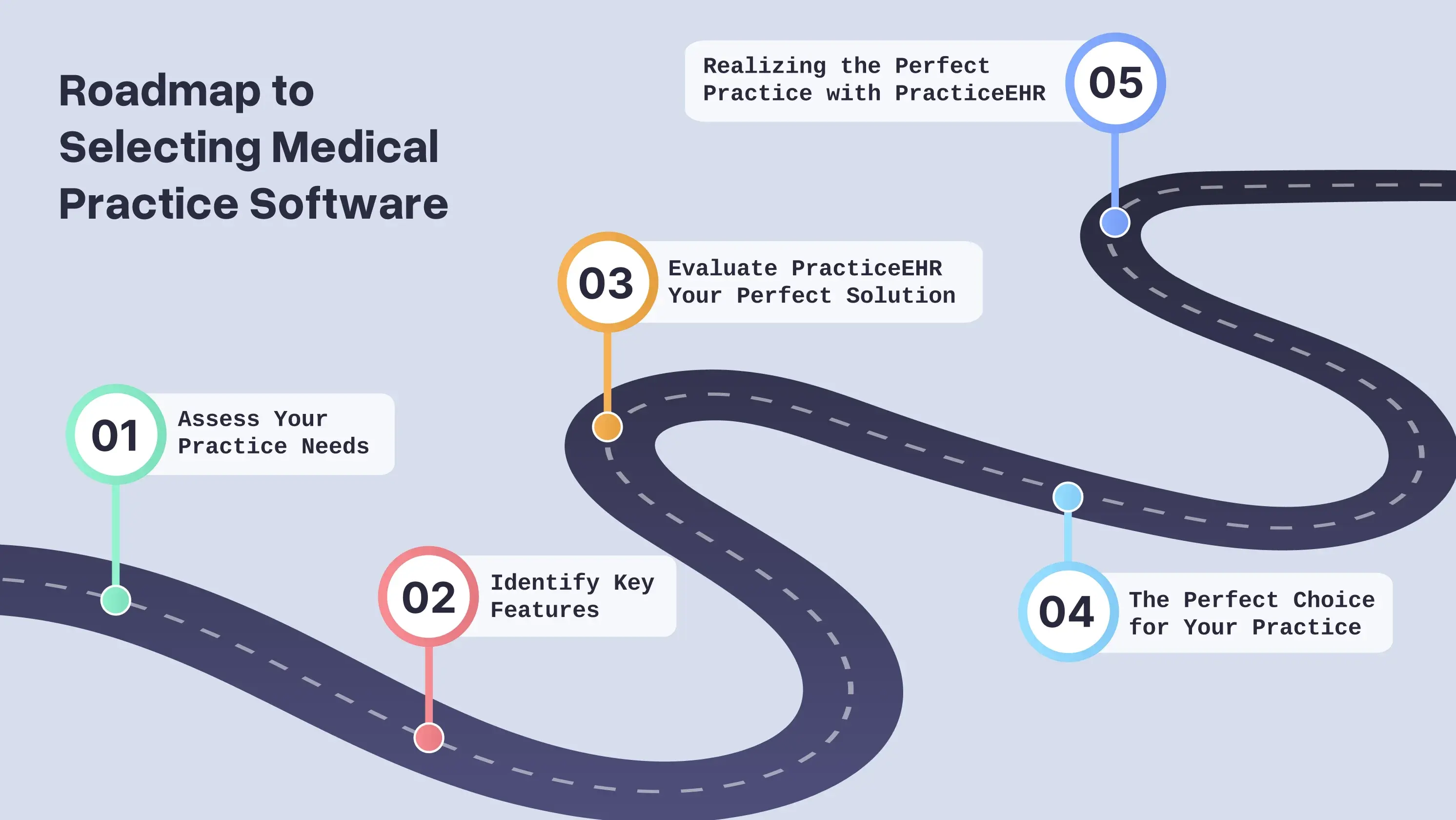
By considering the software evaluation roadmap above, medical practices can choose a scalable and reliable system. Such a system will have the ability to align with both current operational needs and long-term healthcare goals.

.svg)
